Mac apps for audio work.
Three apps: Lyra for the monitor level, Audita for target monitoring and hearing dose, Specula for audio inspection, analysis, editing and delivery checks.
Lyra 1.9
Monitor volume for Universal Audio Apollo and Volt Gen 2 interfaces on the F-keys, with Shortcuts, Spotlight, widgets, a Focus Filter and a lyra:// URL scheme behind them.
↓Download free trialDetails$9.99, macOS 12 and later
The volume HUD. Arrow keys, M, D and O work on it.
- F10 mutes, F11 and F12 move the level, ⇧ halves the step. DIM and Mono on the same keys.
- Three Reference Levels on ⌃F10 to ⌃F12, each recallable to a dB SPL measured with Audita.
- ALT speakers on Apollos with ALT outputs. An Apollo and a Volt side by side, one of them in control.
- Lyra can start UA Mixer Engine and UA Mixer Helper when the interface connects and quit them when it leaves, with a notification each way. Both opt in. New in 1.9: Volt Gen 2 and ALT speakers.
Audita 1.7
Target monitoring and hearing health, from the menu bar: the SPL at the listening position held against a calibrated target level, and how much of the day's safe exposure the day has used.
↓Download free trialDetails$19.99, macOS 14 and later
The pinned window, two hours into a session. Every number is computed from the session by the app's rules.
- A-weighted SPL ten times a second through a measurement microphone. A UMIK-1 reads at absolute level from its calibration file.
- Under, on or over the reference, the share of the session on target, and the Leq and Ln figures behind it.
- Today's dose by the NIOSH method, notifications at 40, 70 and 90 percent, alerts for drift and time off target, and impulse peaks held against the EU action values at 135, 137 and 140 dBC.
- Sessions start with your DAW or a Shortcut, stay in History as dials and leave as PDF reports. A calibrated level goes to Lyra as a reference slot. New in 1.7: the session dial.
Specula 2.0
Audio inspection, analysis and editing for macOS: loudness to ITU-R BS.1770-4 and speech-gated LUFS, spectral repair down to a squeak's overtones, compare, audiobook chapters, Audio Unit plugins, and the verdict against the platform the file is going to.
↓Download free trialDetails$99.99, macOS 14 and later
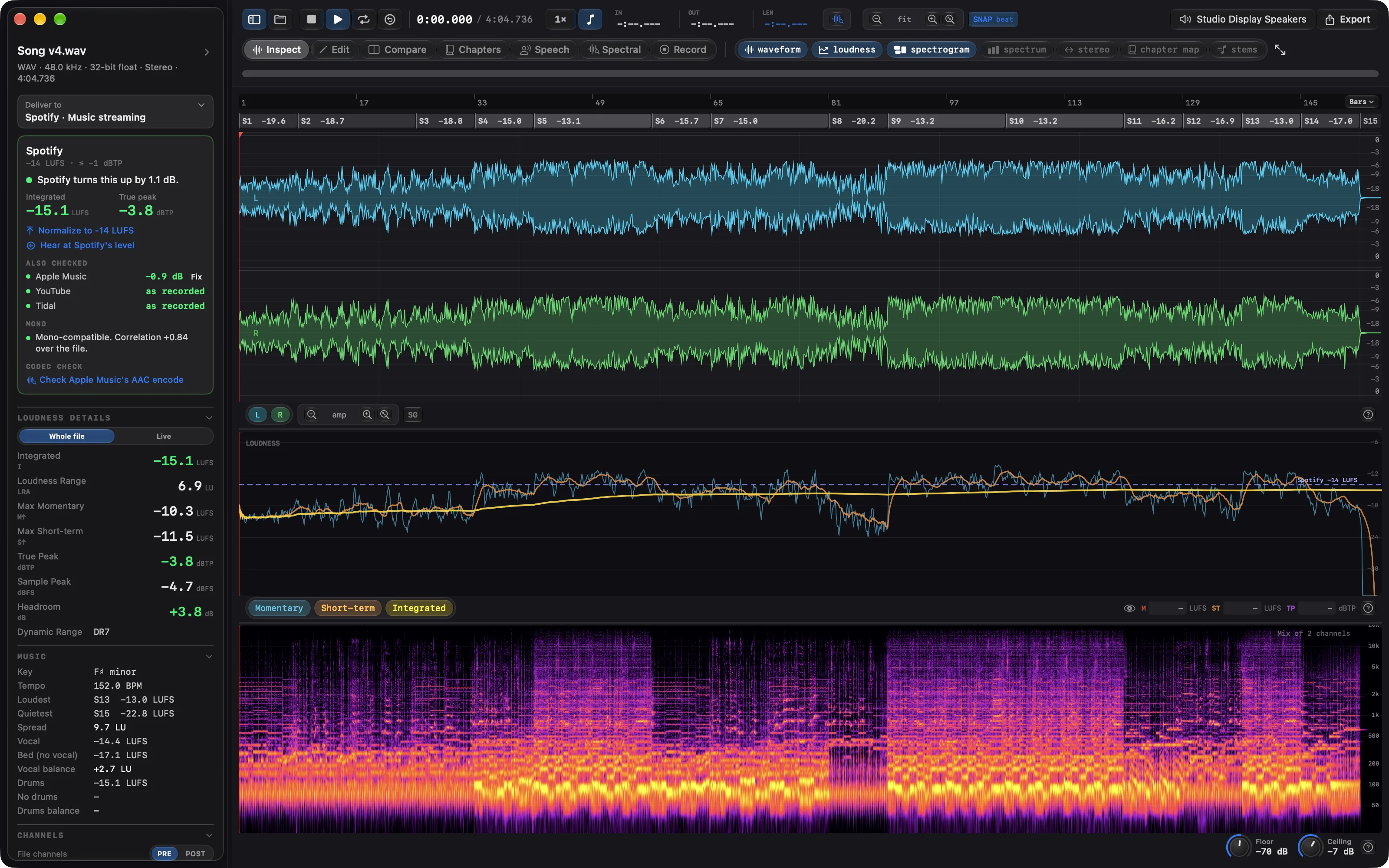
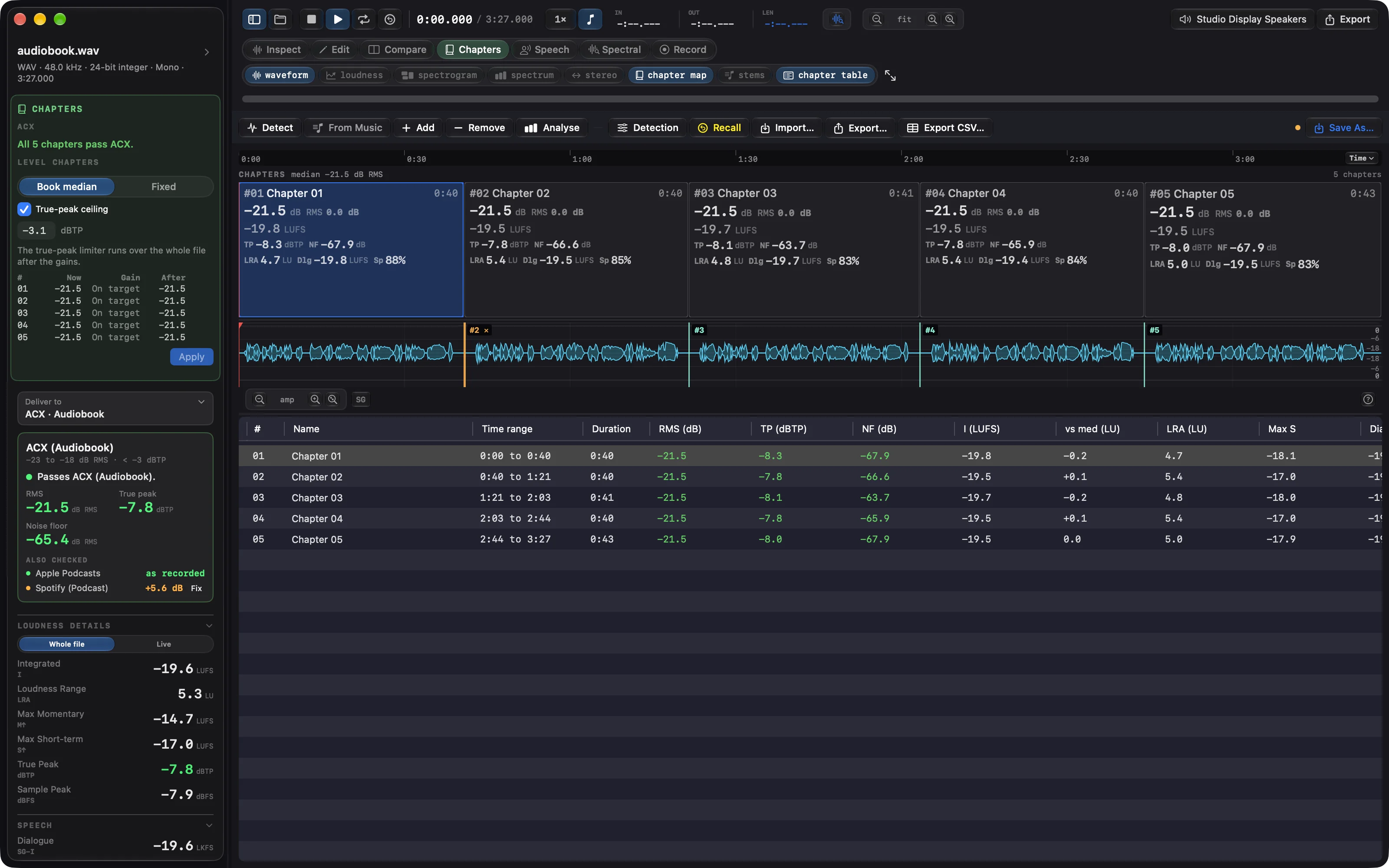
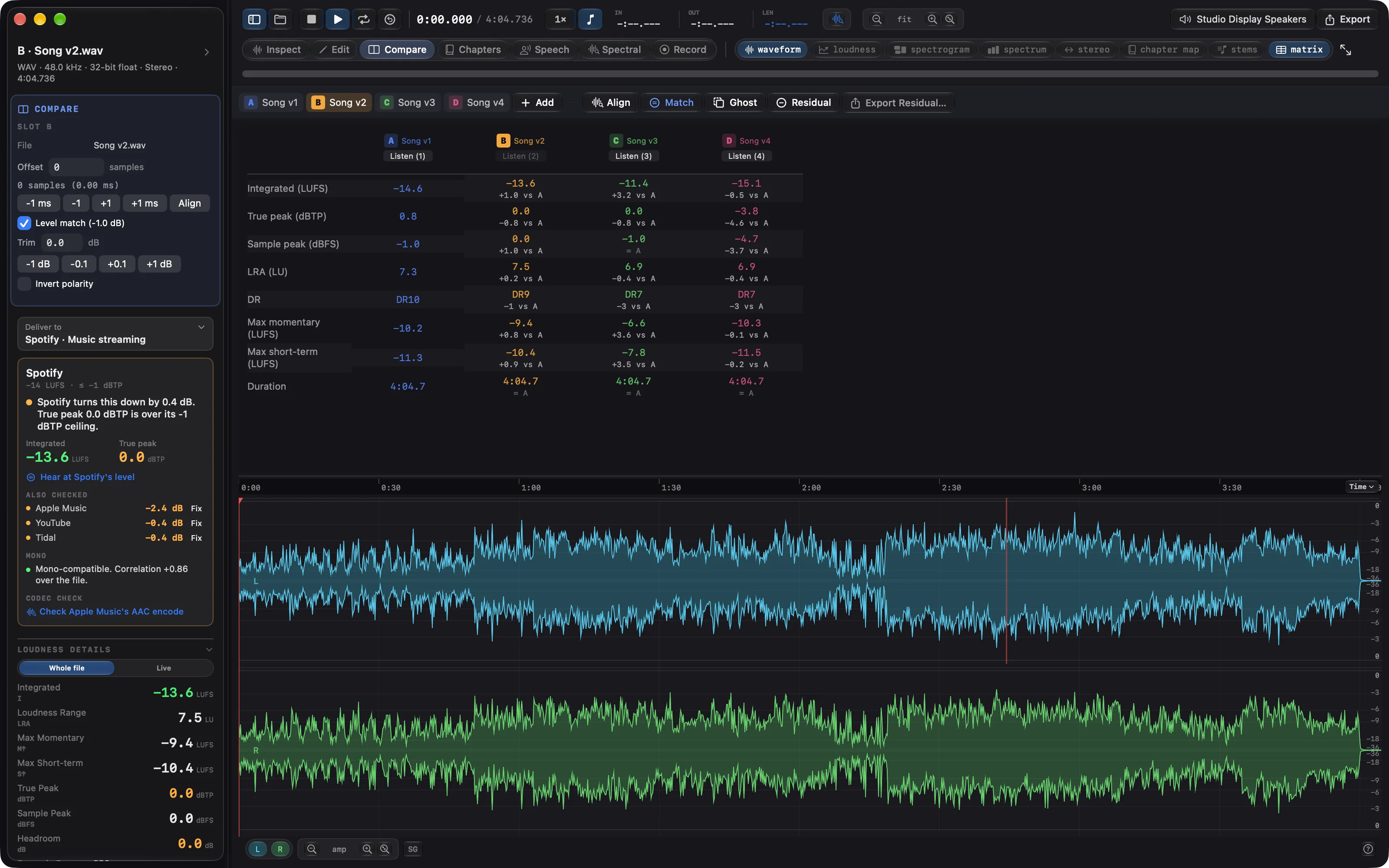
- Every file judged against where it is going: Spotify, Apple Podcasts, ACX, Netflix, EBU R128 or a spec of your own, with the fix named next to each failed check.
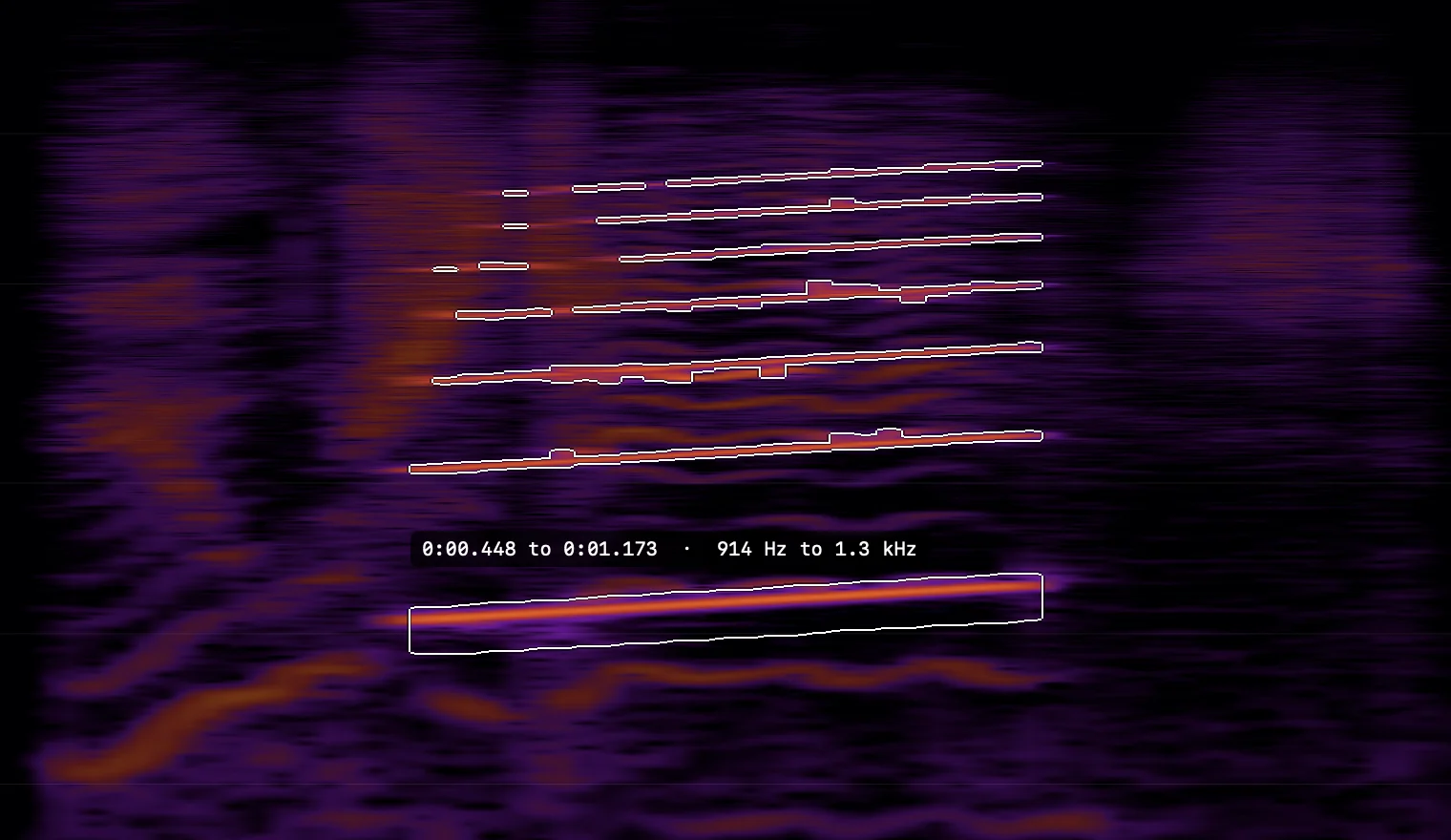
- Spectral repair on the spectrogram with a brush, a wand or a lasso. Include harmonics takes the overtones with the fundamental, and Erase leaves the voice around them as it was.
- Compare up to six versions level-matched, down to the residual. Audiobook chapters judged against ACX and levelled together. Speech regions with dialogue-gated loudness.
- Editing with Audio Unit plugins, recording, Check a Folder for a whole delivery with a report per file, and a command-line tool for the same checks. New in 2.0: Deliver to, Check a Folder, the Apple Music encode check.