Workflow · Podcast
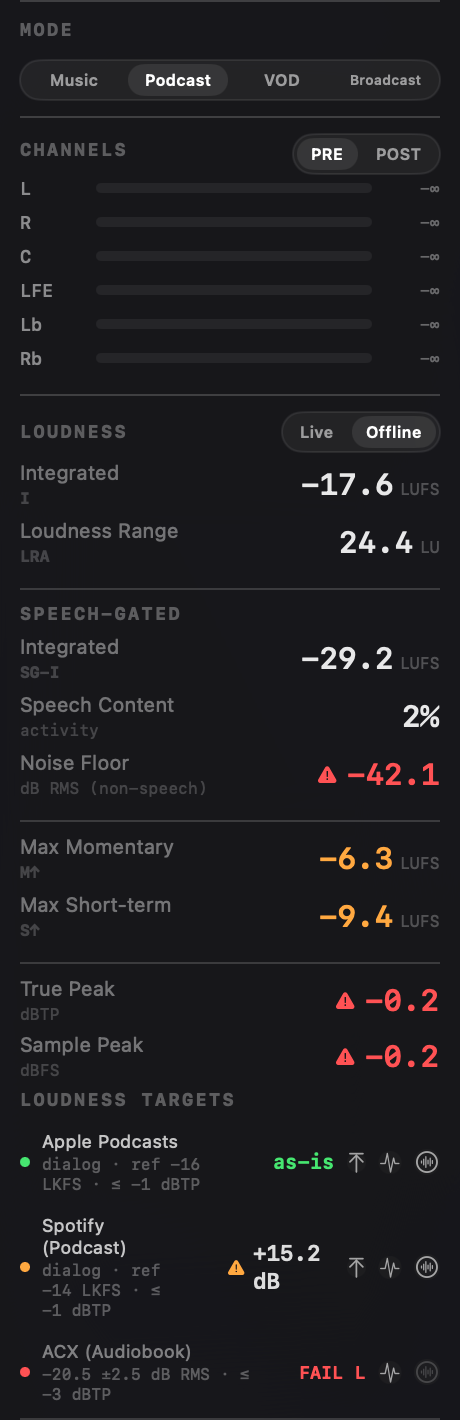
Podcast platforms specify a dialog-gated loudness target, not a whole-file one. Measure the episode as a single number and the intro bed, the stinger, and the room tone all drag it off. Specula runs a neural VAD over the file, gates a parallel integrated LUFS to the speech blocks, and reads that against the Apple Podcasts and Spotify Podcasts targets, with the speech regions hand-correctable when the detector guesses wrong.
Why whole-file LUFS is the wrong number
Dialog loudness measured over the whole file is wrong the moment there's music or SFX in it. The platforms know that, so they specify dialog-gated targets.
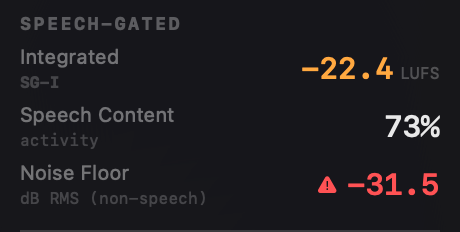
An integrated LUFS reading over the entire episode mixes the talking with everything that isn't talking. A loud cold-open music bed, a sponsor stinger, a long quiet pause, they all land in the same average, so the file can read on-target while the actual voice sits a couple of LU off where a listener hears it. Specula computes loudness only over the speech blocks, so the number you check against Apple Podcasts or Spotify Podcasts is the dialogue, not the dialogue blended with the bed.
The same separation matters at the quiet end. The room-tone noise floor between phrases is invisible on a whole-file loudness meter and inaudible on headphones, but it's measured over every non-speech sample here, so a noisy capture shows up as a number before it ships.
The workflow
Load to verdict in four steps. The detector does the first pass; you correct it; the targets read off the result.
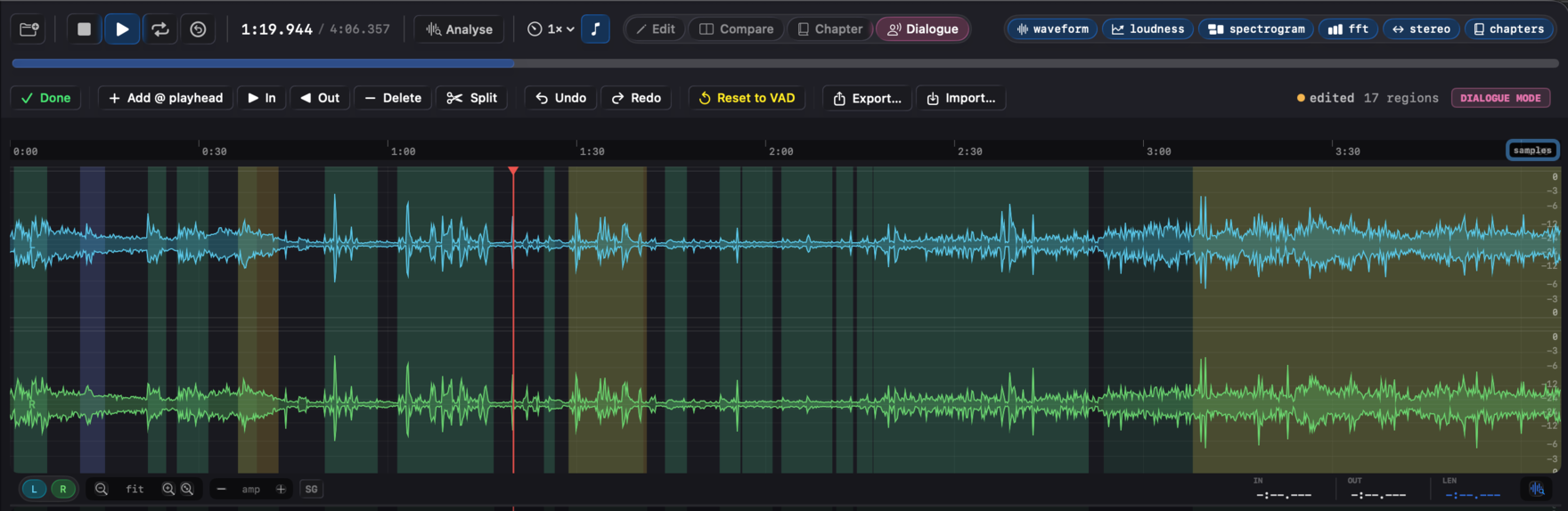
.dlg.json sidecar next to the file (debounced 500 ms), so re-opening the episode re-applies them.Two-tier speech detection, and where your corrections go
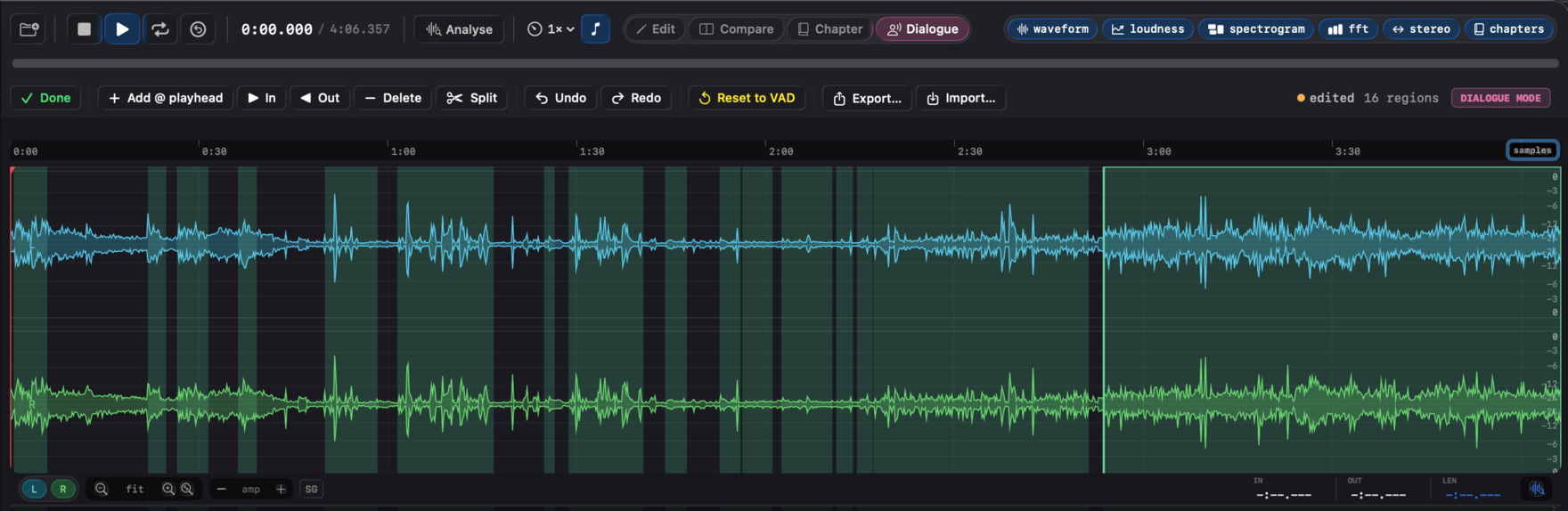
Tier 1 is a Silero neural VAD (MIT-licensed, run via FluidAudio). On load the file is downsampled to 16 kHz mono and classified per 100 ms block. Tier 2 is a spectral fallback that covers the rare case where Silero is unavailable, it classifies on four spectral features (an HF gate, a 300 to 3 400 Hz band-energy ratio, spectral flatness, and a harmonicity-plus-flux test) so the speech-gated path still produces a result.
The corrected regions feed straight into the speech-gated path. When you fix regions in Dialogue mode, the dialog-gated LUFS, the noise-floor reading, and the Apple Podcasts / Spotify Podcasts verdicts all recompute against the speech and silence you confirmed, not what the raw VAD guessed. Region tint shows provenance: teal for pristine Silero output, amber for VAD regions you've edited, blue for ones loaded from a sidecar.
Bias the detector to your material in Settings → Speech. Three sliders re-run detection in about half a second: Threshold (0.1 to 0.9, default 0.5, lower picks up quieter speech), Minimum region duration (0.05 to 2.0 s, default 0.10, raise to reject clicks and short interjections), and Merge gap (0.05 to 2.0 s, default 0.10, larger values fuse nearby regions through breath pauses). Reset to VAD discards your edits, deletes the sidecar, and re-runs Silero with the current tuning.
Level the dialogue, in the same app
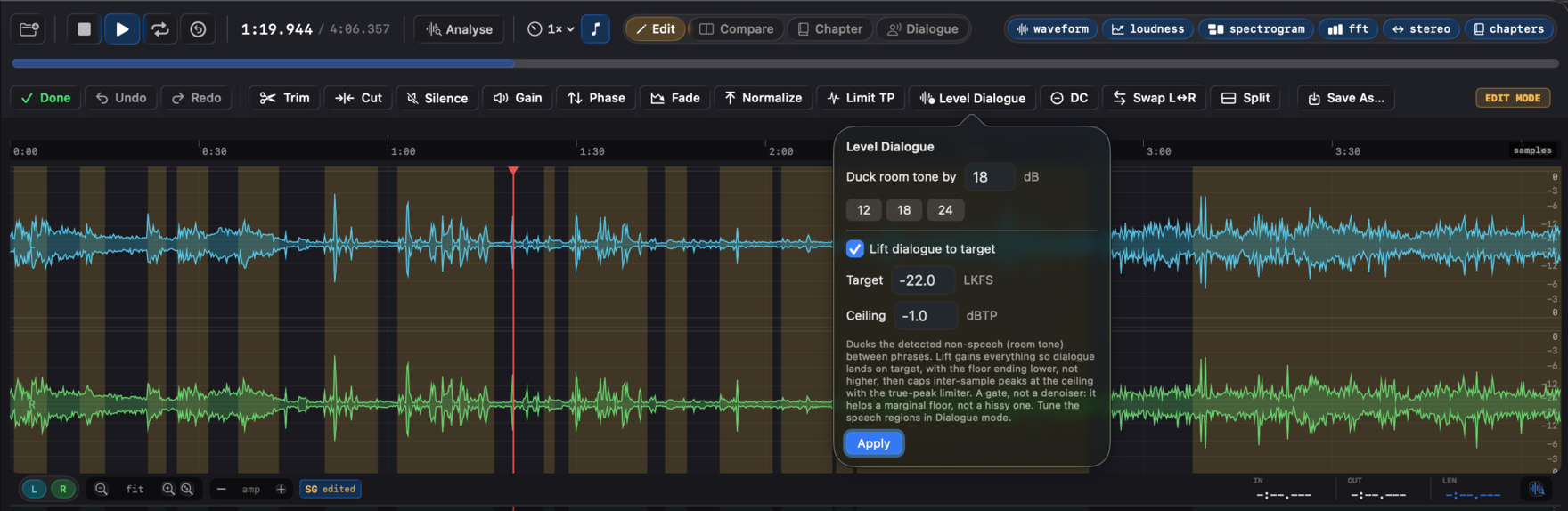
Where the dialogue is off level or the room tone sits high, the fix is in Edit mode. Level Dialogue works off the same speech regions the measurement uses (the ones you confirmed in Dialogue mode): it ducks the room tone between phrases with a fast attack and slow release, so word onsets and tails stay clean. Tick Lift dialogue to target and it also brings the voice to a target in the same pass, capping inter-sample peaks at a true-peak ceiling. Gating the silence before the makeup gain is what lets the dialogue come up without the floor riding up with it, the difference between a clean episode and one where every pause hisses. It's a gate, not a denoiser, so it rescues a marginal floor (a quiet room tone just under the gate); a genuinely hissy recording still wants a better capture.
For a straight level move, Normalize on a dialog-gated basis shifts the whole episode by the gain that lands speech-gated LUFS on Apple Podcasts' −16 or Spotify's −14, and a true-peak triangle is one Limit TP pass that caps the peaks without touching loudness. Each is one undoable edit that saves a new file. See the editing workflow →
See it in Specula
Ship the episode on target
Specula is the pass between "the edit is locked" and "it's published." It tells you what the dialogue actually measures against each platform's spec, levels the dialogue and ducks the room tone with Level Dialogue, lands the episode on a target with Normalize, and caps the peaks with Limit TP, all without leaving the file you loaded.