Real-time SPL
Continuous A-weighted level at 10 Hz, exponentially smoothed for a stable readout. Dose, Leq, and session stats accumulate from the true energy of every sample, not the smoothed display value.
Live menu bar
Show a live SPL number right in the menu bar - dBA, dBC, or alongside the dose icon - for an at-a-glance reading without opening the menu bar window.
Pinned panel
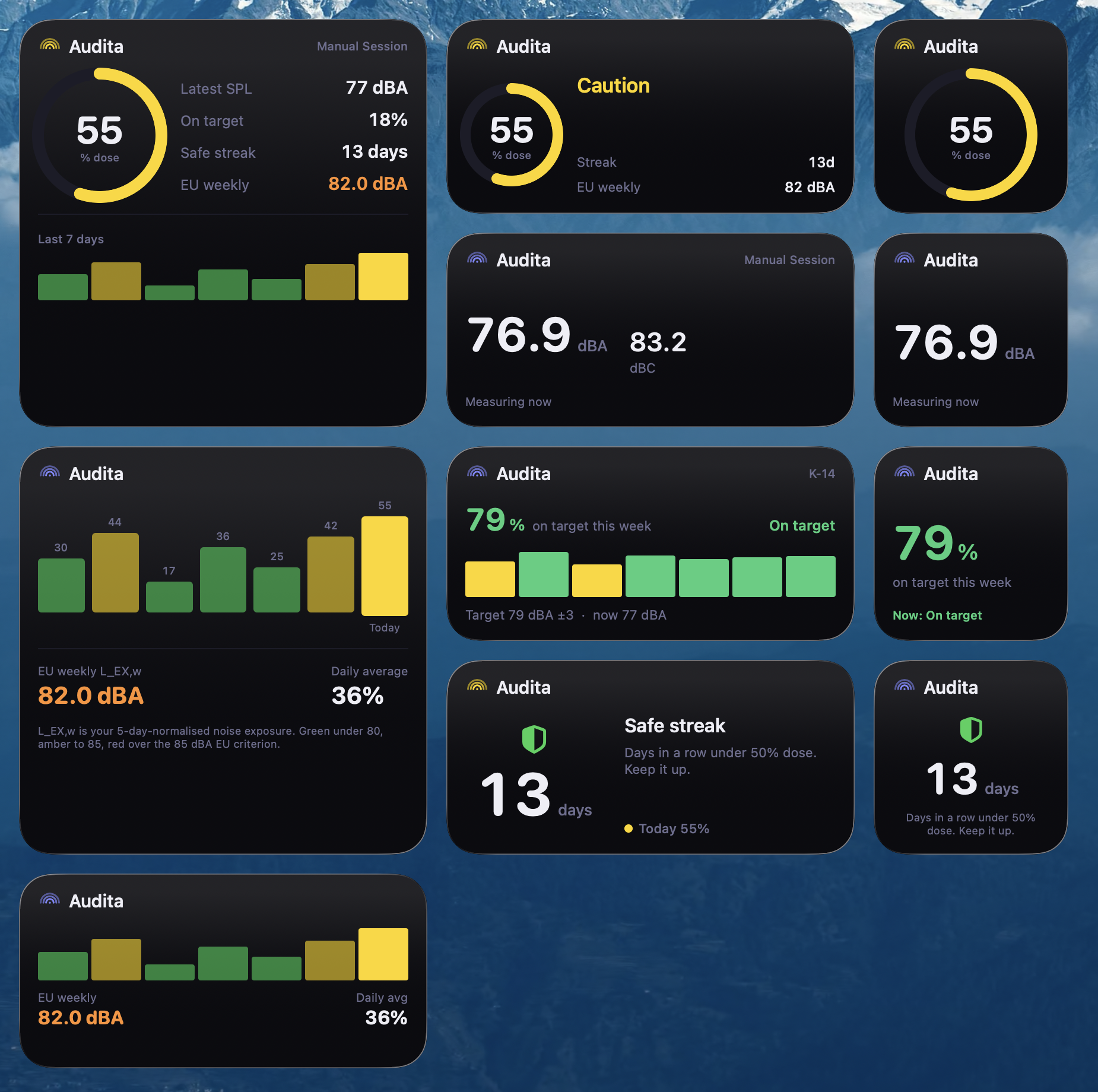
One strip that stays above your DAW: the Bloom, the level, the verdict in words, today's dose. A click expands it in place to the reference, Leq / Ln and the session's readings. Uses Liquid Glass on macOS Tahoe.
Target-level calibration
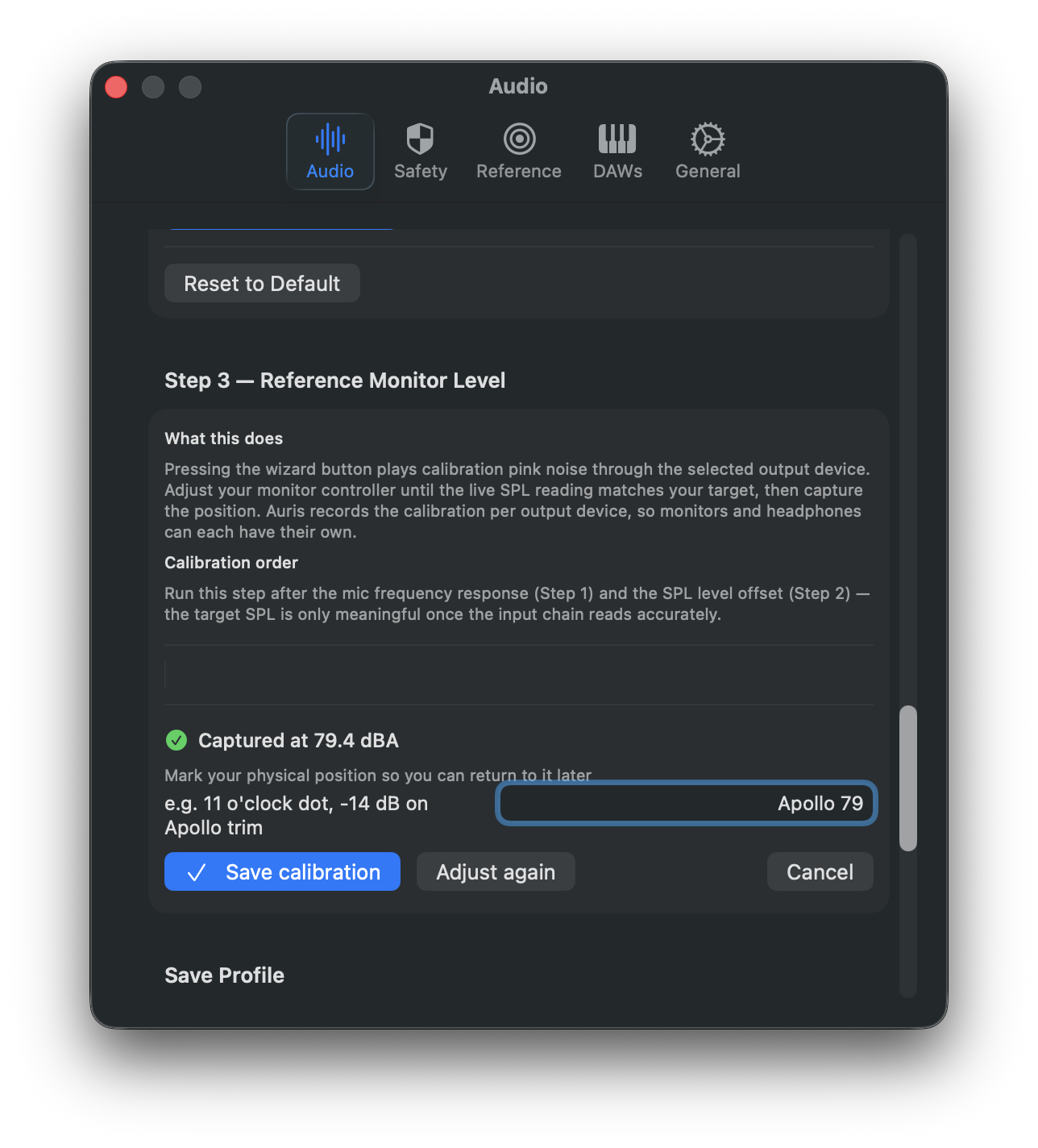
A pink-noise wizard pins your monitor controller to a specific dBA target. Captured calibrations record the knob-position note, target value, and measured SPL. One record per output device.
Monitoring Discipline
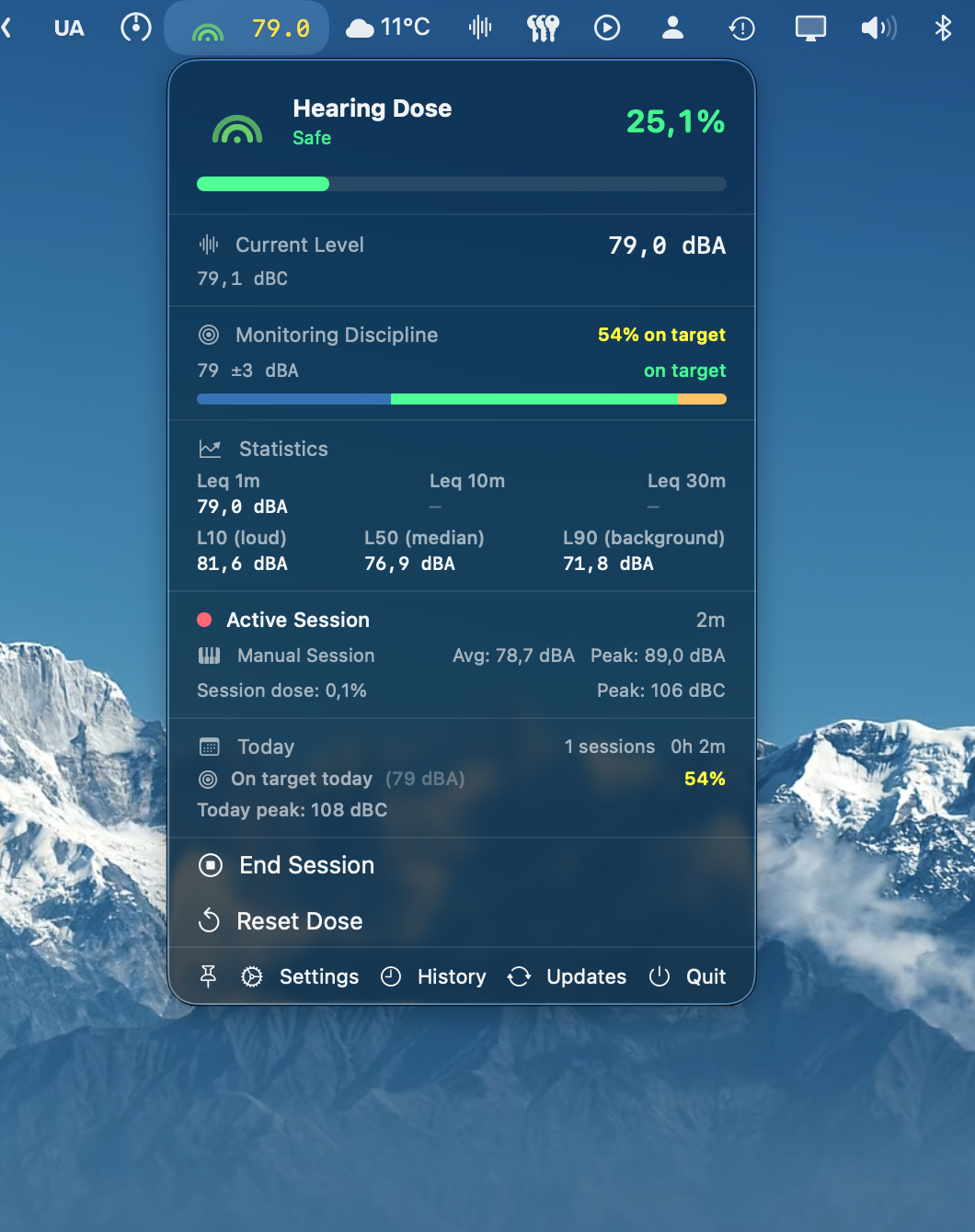
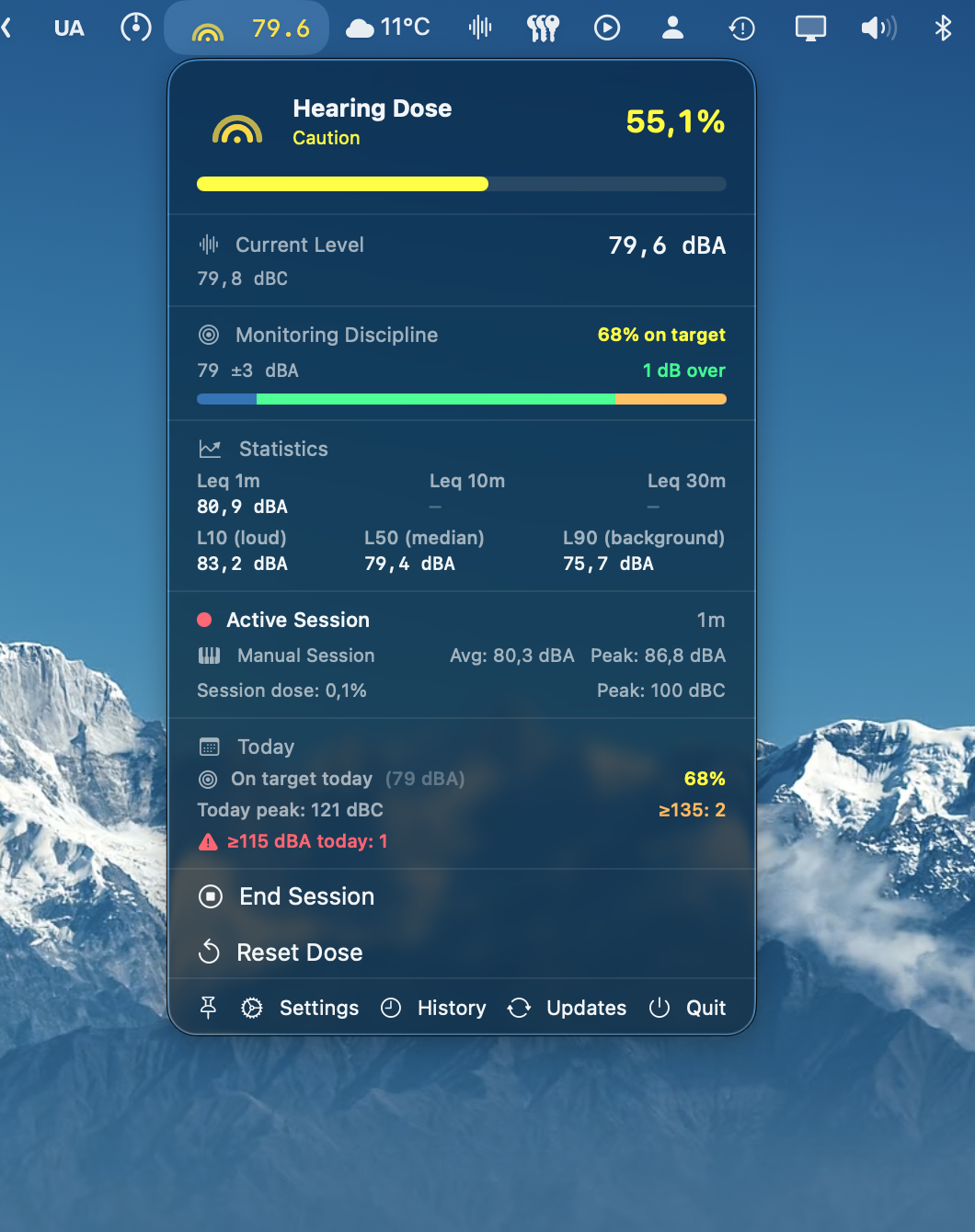
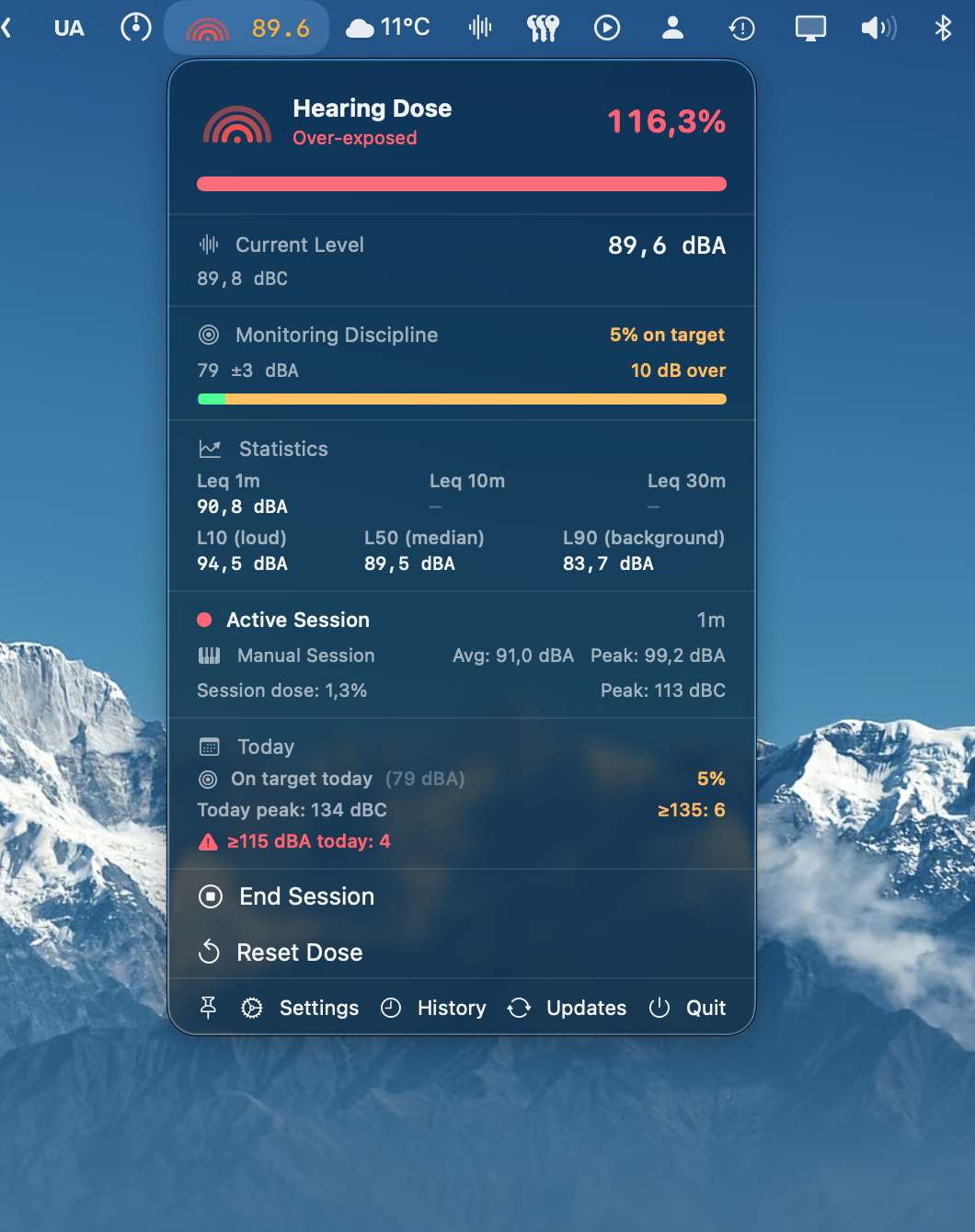
Tracks how consistently you actually monitor at your chosen reference. The share of the session on target heads the menu bar window, green from 75% and yellow from 50%, with the band, the live deviation and an under / on / over bar.
Monitoring alerts
Opt-in notifications when your level drifts (rolling 30-min Leq vs session baseline) or sustains a deviation off target. Independent snooze per category.
Lyra integration
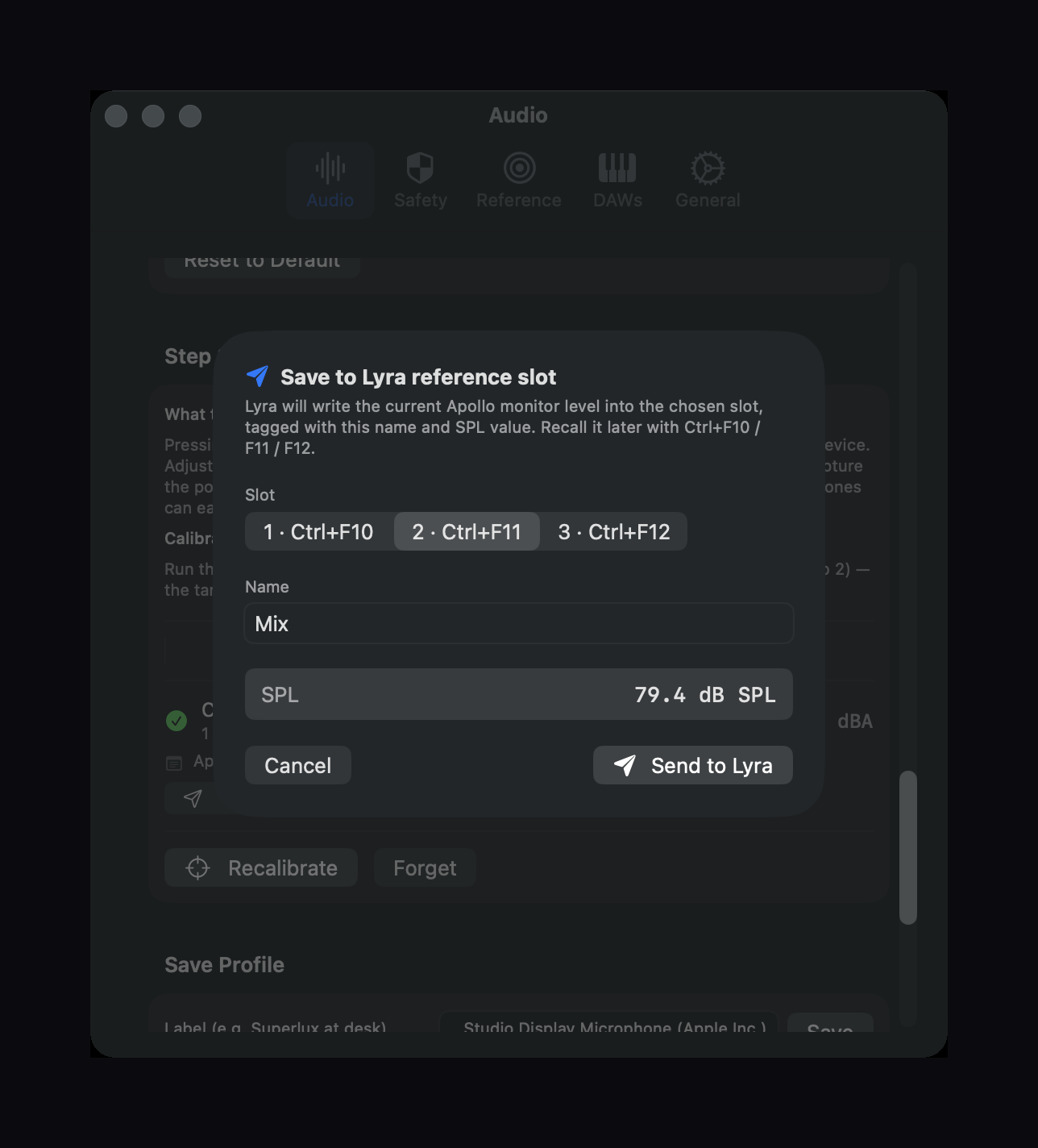
After a target-level calibration, hand the position straight to
Lyra with a single click. Your calibrated level becomes one keystroke away.
Hearing dose
Accumulates your daily exposure using the NIOSH formula. The Pressure Bloom in your menu bar reflects both live SPL (arc count) and today's dose tier (colour) at a glance.
Leq & Ln stats
Rolling Leq over 1, 10, and 30 minutes plus L10 / L50 / L90 percentiles - describe the character of a session at a finer grain than instantaneous level.
Mic correction
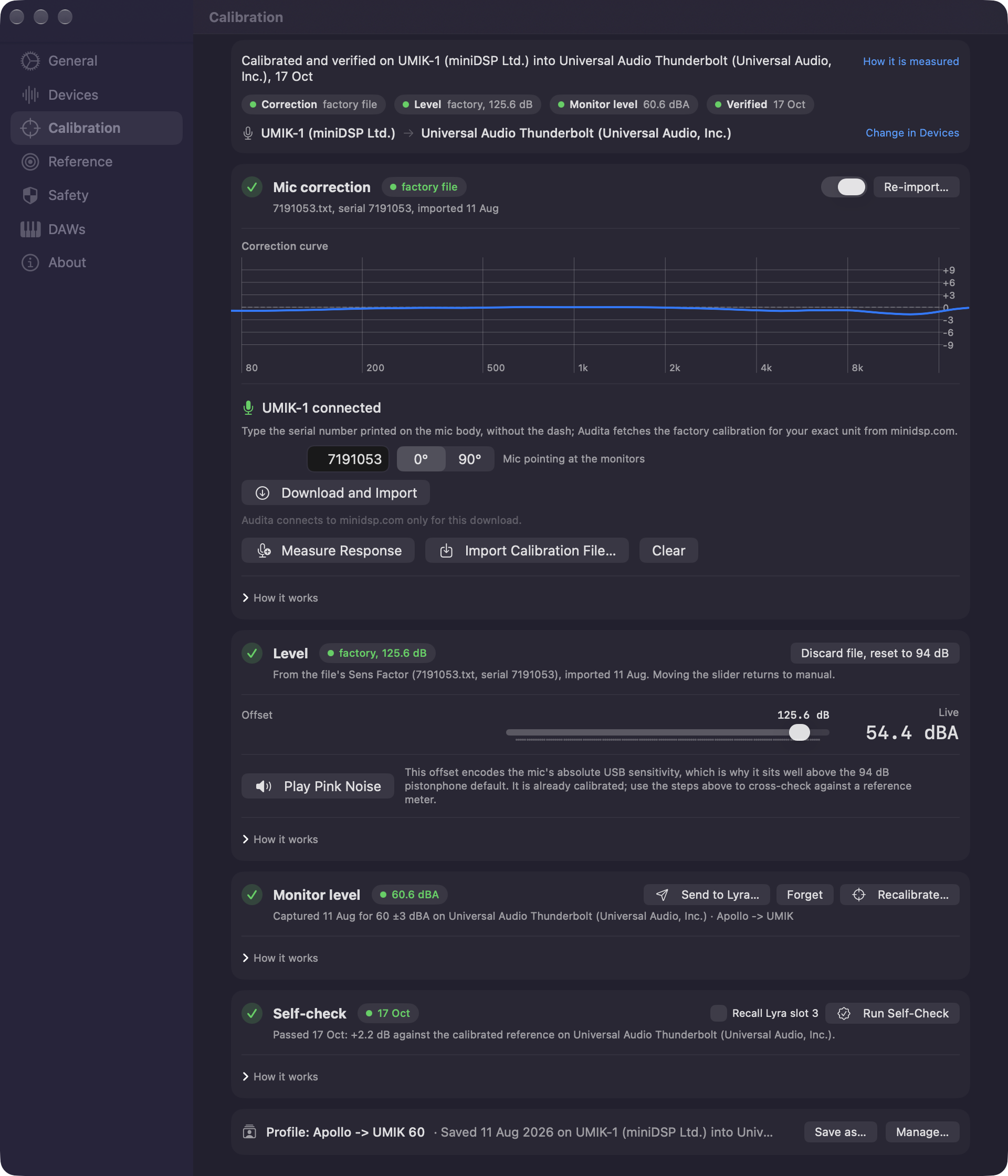
Compensates for your measurement microphone's frequency response so the SPL reflects the room, not the capsule. Measure it with pink noise, or import the manufacturer's curve.
Calibration files
Reads REW-style .cal, .txt, and .frd files, the format miniDSP, Dayton, and most measurement-mic vendors ship. The curve is inverted, limited to ±9 dB, and applied ahead of the weighting filters.
UMIK-1 in one step
Type the serial printed on the mic and Audita fetches that unit's factory calibration. Its sensitivity figure sets absolute SPL directly, so no reference meter is needed, and input-volume changes are compensated live.
Calibration page
One verdict line and four pills: where the mic correction came from, where the level came from and for which device, the captured monitor level, and when the rig last passed a self-check. Four cards under them with the wizards inside. A pill that needs attention becomes a banner in the menu bar window, with a Fix button.
Rig self-check
One click plays pink noise at your calibrated reference and measures it back, reporting the delta against your tolerance. Verified state is tracked per mic-and-monitor pair.
Calibration profiles
Save a mic's correction, offset, and the file behind it under a name. Select that mic again and Audita offers the profile back, with where and when it was captured. Applying is always your call.
Peak monitoring
C-weighted peak impulse tracking per EU Directive 2003/10/EC. Notifies you when levels cross the 135 / 137 / 140 dBC action values. Per-session and daily counts.
Instantaneous peaks
Tracks A-weighted instantaneous peaks above 115 dBA - the EU Directive 2003/10/EC ceiling for any single moment of exposure. Counts per session.
Session tracking
Auto-detects when you open a DAW and starts a session. 15 DAWs supported out of the box - Luna, Logic, Pro Tools, Ableton, REAPER, and more. Manual start and end also available.
Session log
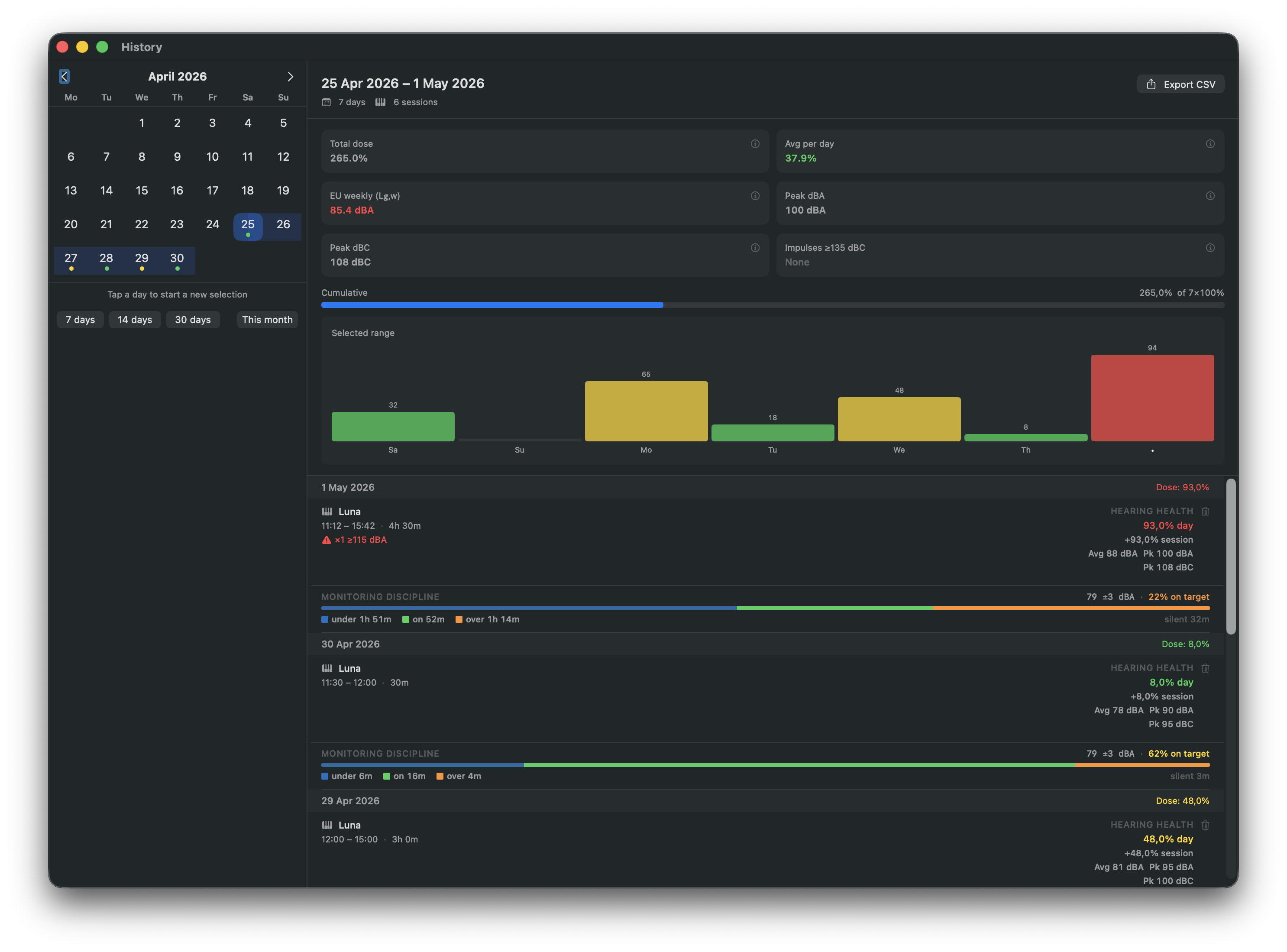
One line per session: the DAW, the time, a sparkline shaded by zone, the share of the day's dose, the on-target chip, and a peak chip when a limit was passed. Averages, peaks, Leq and Ln are in the session's report.
Shareable reports
Every session generates a one-page PDF - SPL chart with monitoring-discipline shading, stats grid. Opens from a session row, from Share Last Session in the menu bar window, or from the session-recap notification.
History window
Any date range answered three ways: dose per day with the EU weekly L_EX,w level, the on-target share with the under and over shares, and the loudest moments against the EU limits. A day chart and the session log under them.
Conservative mode
Optional setting that uses max(dBA, dBC) for dose accumulation. Designed for bass-heavy work - sub-mixing, kick tracking, live sound.
Input channel selection
Pick any individual input channel - a talkback mic, a dedicated measurement input, or a specific channel on a multi-channel interface like the Apollo Twin X. Channel names are read from the driver.
Non-invasive
Lives in the menu bar. Measures passively via any CoreAudio input device. Nothing touches your signal chain.
Universal binary
Ships as a universal binary - runs natively on both Apple Silicon and Intel Macs (macOS 14 Sonoma or later).