Workflow · Compliance
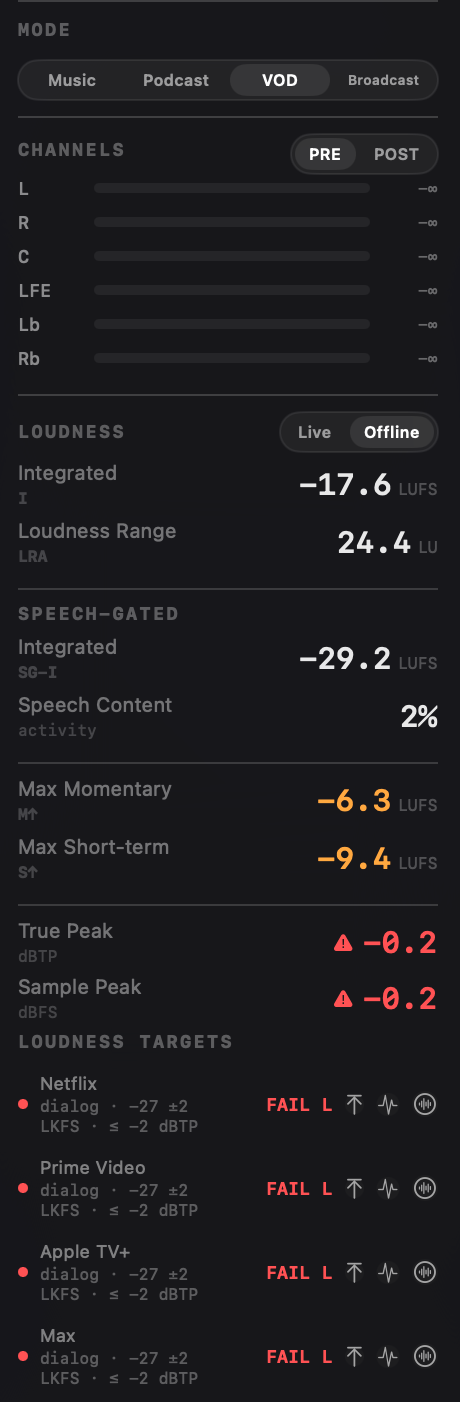
A delivery spec is a hard line, and the file either clears it or comes back. Specula reads your master against the platform or standard you're delivering to and returns a hard pass/fail per target, with the exact failing reason named, not a number you have to interpret. Pick the delivery mode, run one offline pass, read the verdict, export the PDF as the receipt that travels with the file.
"Looks fine in the DAW" isn't a deliverable
A DAW meter tells you where the master sits. A delivery spec tells you whether it ships. Those aren't the same question.
Every platform and broadcaster publishes a target: an integrated or dialog-gated loudness band, a true-peak ceiling, sometimes a short-term cap or a noise-floor limit. Miss any one and the file bounces. The DAW's loudness meter shows the integrated number, but it won't tell you that EBU R128 S1 also caps max short-term, or that Netflix measures against dialogue rather than the full programme, or that your true peak reads fine on samples but breaches once you account for inter-sample peaks.
A re-deliver costs days: the QC pass, the email, the re-export, the second QC pass. Specula turns the rejection condition into a number on screen before the file leaves your studio. It computes both the full-programme integrated LUFS and the dialog-gated reading in parallel, reads the 4× oversampled true peak, tracks max short-term and the noise floor, then checks every one against the spec and tells you which criterion failed and by how much.
The workflow
Load to receipt in four steps. One file, one pass, every target checked.
Not compliant · S↑ (−15.0 LUFS)) so a reviewer reads the result without hovering. The JSON's loudnessTargets.targets[] carries an inline verdict object: status, actualLUFS, and the non-compliance reason / limit, so a delivery pipeline can branch on pass/fail without recomputing.From verdict to location
A maximum number tells you the master breached, and by how much. It can't tell you which second of forty minutes. Specula marks every breach on the timeline.
A re-deliver note says "too loud." Specula says where: 2:14, 7:48, 31:02, and on which meter.
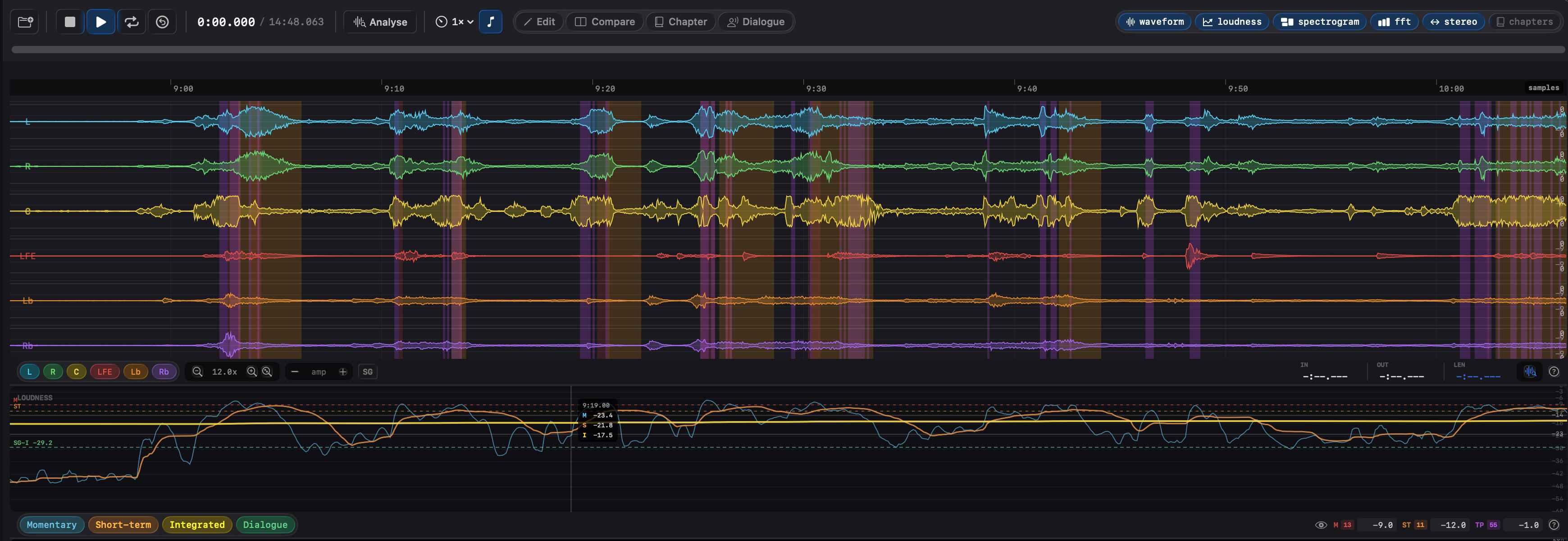
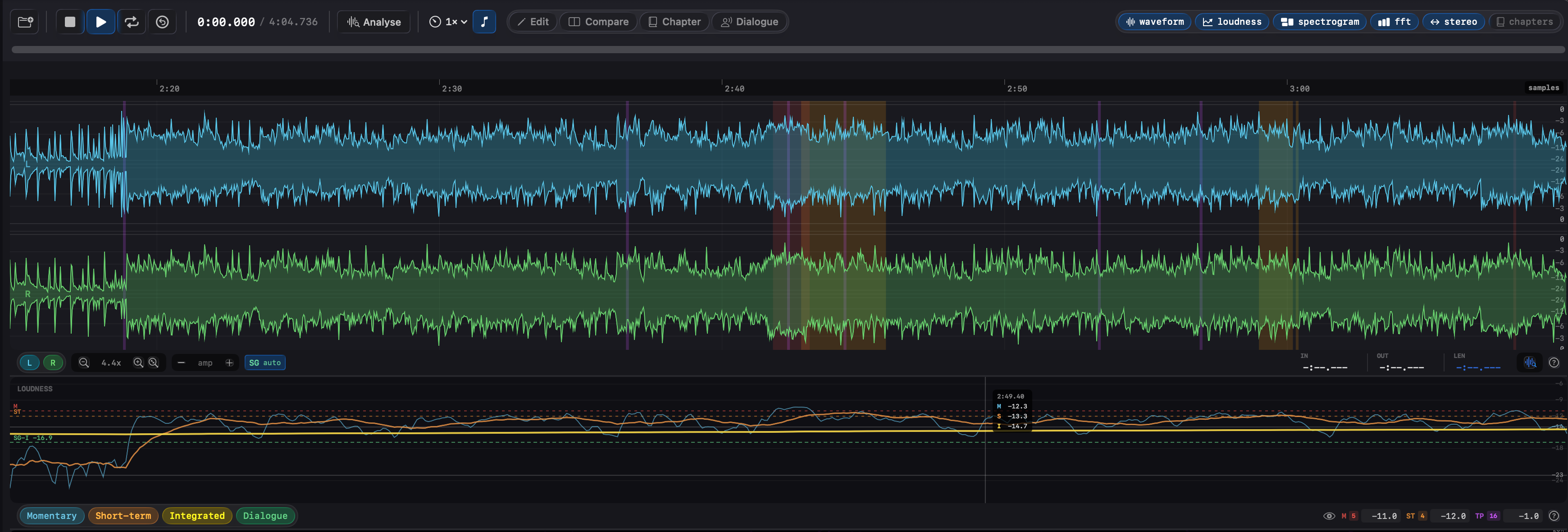
Most tools hand you a single worst case: max momentary, max short-term, max true peak. That settles whether the file ships, but not the question you actually act on, which moment to touch. The usual answer is to reopen the master in a DAW with a meter up and scrub until the needle jumps. Specula turns the verdict into a map. Set the spec's ceilings in the loudness-curve strip and every 100 ms block that crosses one is shaded along the waveform, full height across every channel, so each overshoot is a place you click to.
Three ceilings, three time scales, each catching a failure the others miss:
Each shades in its own colour, matched to the threshold field you set, and layers over the rest, so where two breaches overlap you still see both. The threshold field carries a running count, so you know how many there are before you start. And the marks arrive both ways: live, building as the file plays, and all at once from the offline pass (⌘Return). Stacked right above the waveform, the loudness curve plots momentary and short-term against that same threshold as a reference line, so you read how far over each breach goes, not only that it crossed.
That is the distance between a QC report and a fix. You seek to the one shouted line and ride it, or to the one transient and cap it, while the rest of a nearly-right master stays untouched.
Four delivery modes, twenty-two targets
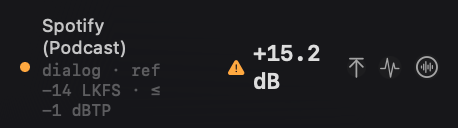
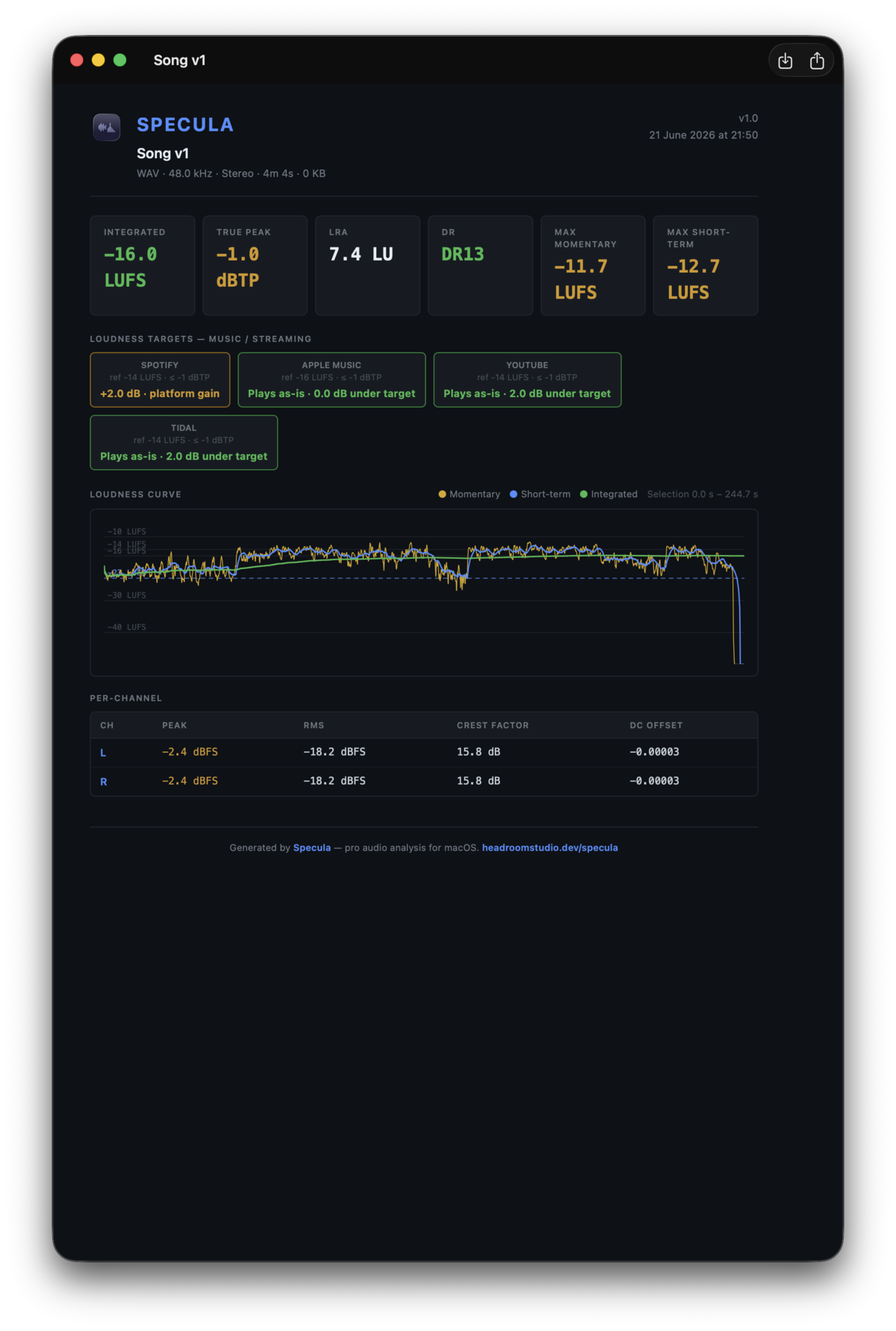
Music mode reports the gain each streaming platform will apply rather than a hard verdict. A master at −10 LUFS reads "Spotify −4 dB", and tells the truth about asymmetric platforms (Apple Music, YouTube, Tidal turn loud tracks down but never boost quiet ones). Podcast mode mixes streaming penalties for Apple Podcasts and Spotify with the ACX audiobook spec.
VOD and Broadcast modes are the hard pass/fail surface. VOD verifies against the −27 LKFS dialog-gated band shared by Netflix, Prime Video, Apple TV+, Disney+, and Max. Broadcast verifies EBU R128, R128 S1 short-form (which adds the max-short-term ceiling), ATSC A/85 / the CALM Act, ARIB TR-B32, and OP-59. Each target carries its own reference, tolerance band, and true-peak ceiling; the full catalog with every number is in the user guide.
Dialog-gated targets read the speech-gated path. Netflix and its VOD peers, ATSC A/85, and the streaming podcast targets all measure loudness over speech blocks only, classified by the Silero neural VAD on file load, so room tone and music beds don't skew the verdict. Their reference lines lead with dialog · in the panel so you can see which measurement source is in play; a file with no detected speech reads "no speech" instead of a misleading number. If the VAD mislabels anything, correct it by hand in Dialogue mode and the corrected regions feed straight into the dialog-gated verdicts.
EBU R 128See it in Specula
Send the delivery with the receipt attached
Specula is the pass between "the mix is done" and "it's been delivered." It won't master the file for you, but it fixes what a gain can fix, each from a one-click button on the failing row: a FAIL L opens Edit mode from the target's Normalize button, and a FAIL TP opens it from the target's Limit TP button, pre-filled to that ceiling, to cap the inter-sample peaks without touching loudness. A FAIL S↑ or FAIL NF it can only flag: the short-term spike wants a manual ride, and the noise floor wants a quieter capture that no gain can give it. It names the reason, fixes the fixable, and hands you a PDF that documents the pass. See the editing workflow →