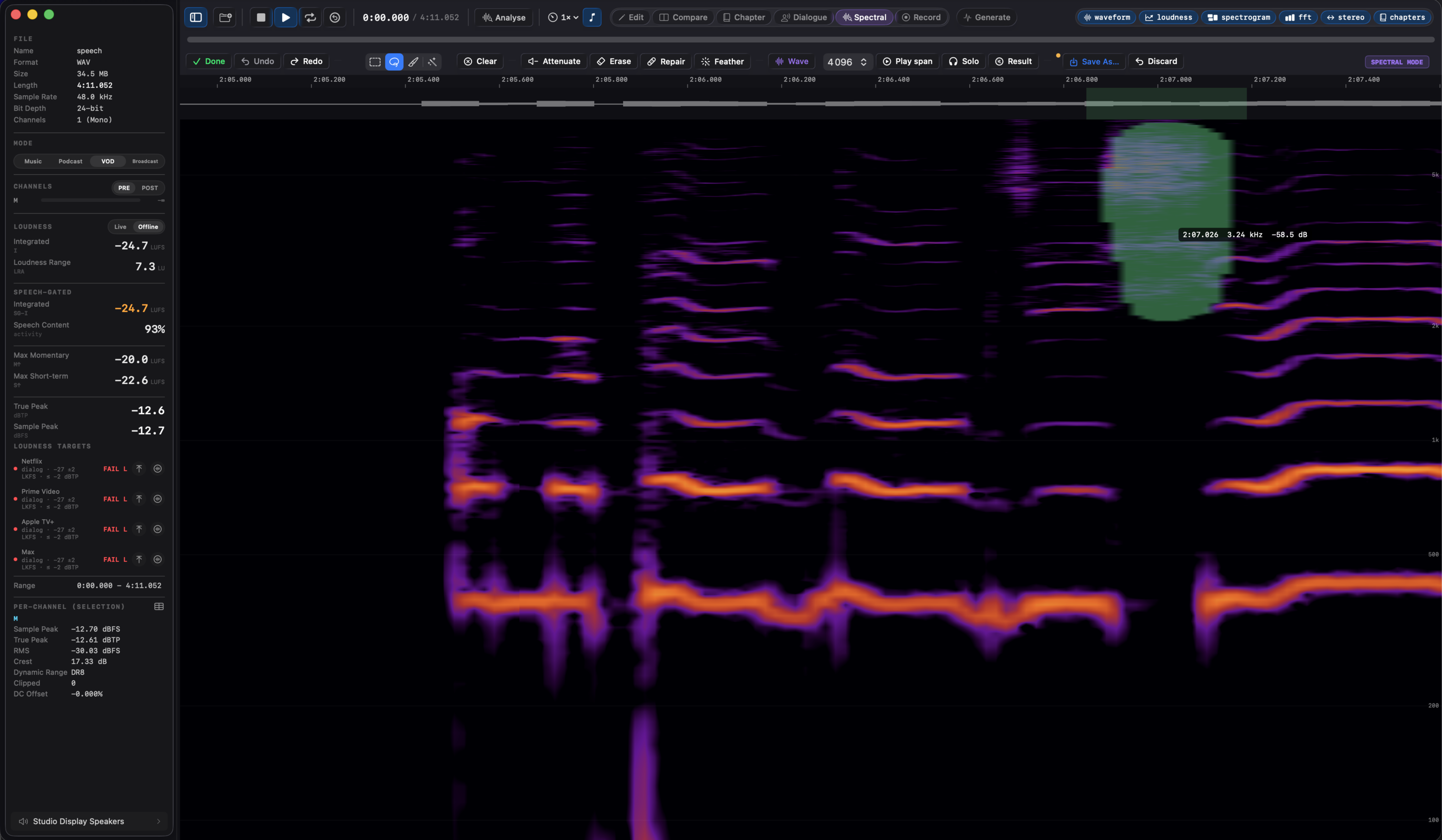
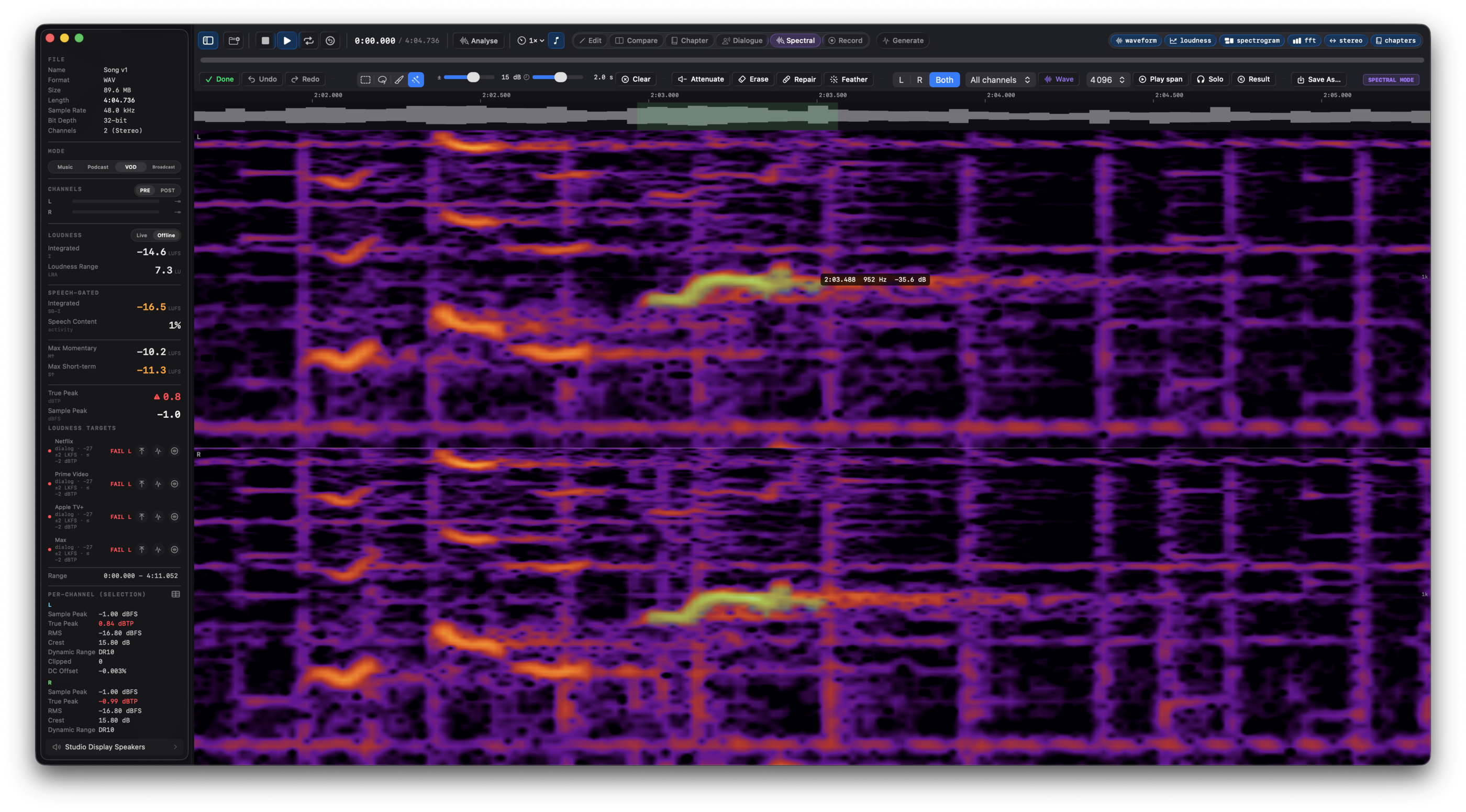
1 · Select the blemish
⌘5 (or the Spectral button in the transport bar) turns the main canvas into a full-resolution, zoomable spectrogram of the loaded file. Four tools share one selection: Rectangle (R) for a straight time/frequency box, Lasso (L) for a free shape, Brush (B) for painting over a curved trace like a bird chirp or a whistle, and Wand (W) for one click: click a spot and the selection grows across the connected region at a similar level, shaped by a dB tolerance and a time reach that re-tune the last stroke live, so one click grabs the local stretch of a hum line, not the whole file, and dragging sweeps the wand along a blemish. The brush and wand paint: strokes add to the selection, an Option-stroke removes. With the rectangle and lasso a plain drag starts a new selection, Shift adds to it, Option subtracts, and Esc clears it. For stereo files the canvas shows the left channel, the right, or both stacked, so a blemish living in only one side is easy to spot. Multichannel files edit channel by channel: pick a channel of the bed (L, C, LFE, Ls, and so on, following the file's layout), fix it, and the other channels stay untouched, sample for sample; the selection persists across channel switches, so a blemish that spans channels is the same region applied a few times.
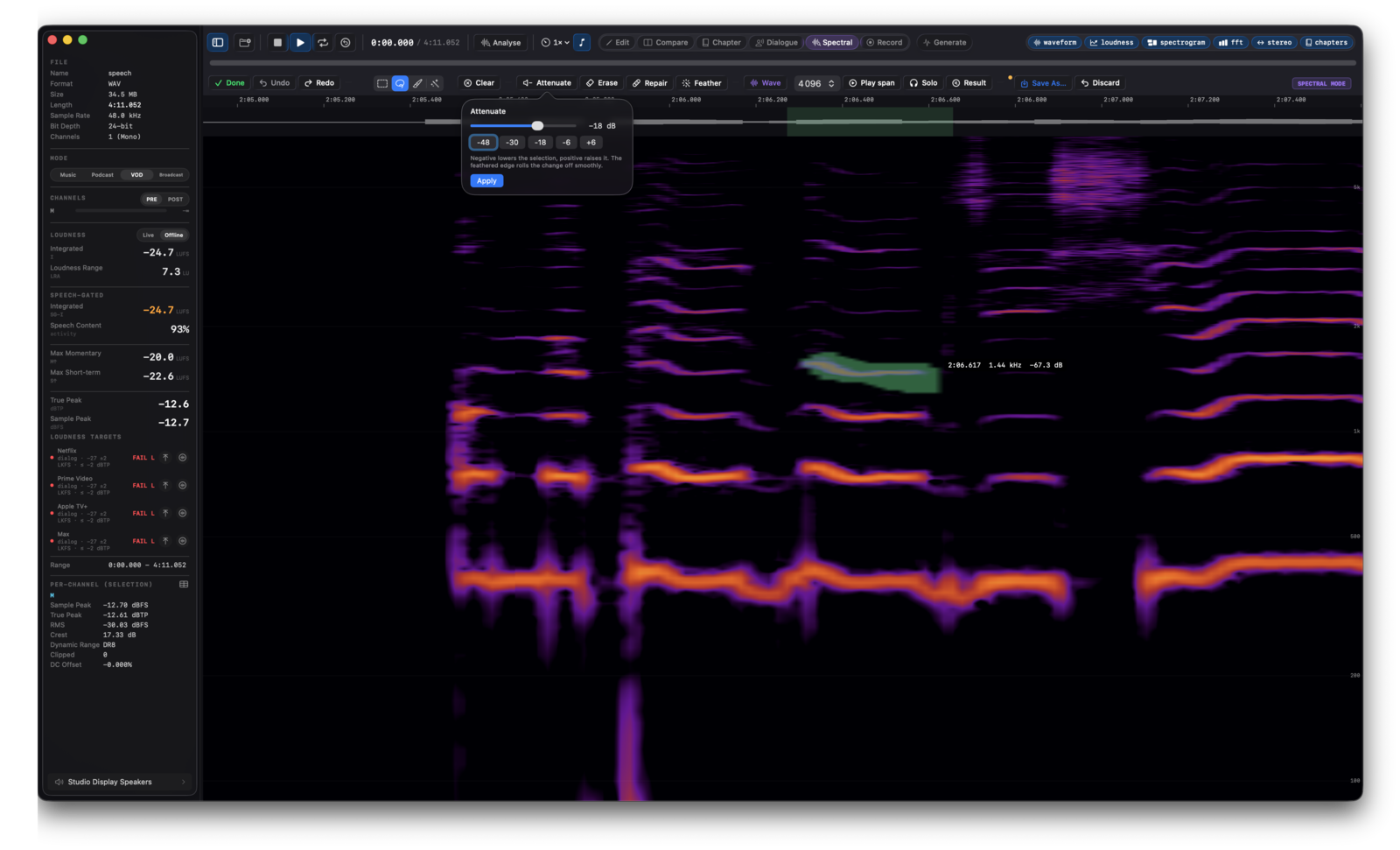
2 · Choose the operation
Attenuate lowers (or raises) the selection by a chosen dB amount, default −18. Erase (Delete) pushes it down to the noise floor learned from the audio just before and after it, minus an adjustable erase depth (default 12 dB), so removal stays decisive even inside busy material. Repair bridges it in time, interpolating each frequency's level from the clean audio on both sides, the move for a short blemish crossing otherwise steady material. Every operation feathers its edges in time and frequency, and applies to all channels by default or just the one you pick, since editing a single side of a stereo file can skew the image. The analysis window (1024 to 8192) trades time detail against frequency detail; changing it clears the selection since the underlying grid changes with it.
3 · Audition, then commit
Space plays the selection's span.
Solo (
⇧Space) plays only the selection itself, with the same feathered edges the operation would use, so you hear exactly what an Erase or Attenuate would touch before you touch it.
Result (
⌥Space) plays the span with the selection removed, an audition of the outcome. Spectral edits share Edit mode's undo history (16 levels), the selection survives an apply and an undo so you can iterate, and Save As always writes a
new file, the original on disk untouched. Selections longer than 10 minutes are refused; select a shorter range and apply in passes. Full detail in the
Spectral mode guide.