Overview
Two surfaces, same state#
App Intents are the native macOS Shortcuts surface. Drag them into a Shortcut, speak them to Siri (via a named Shortcut), or wire them into a Focus Filter. They get typed parameters, structured return values, and proper error dialogs when something goes wrong. Require macOS 13 (Ventura) or later.
The lyra:// URL scheme is the lowest-common-denominator surface for everything else: Stream Deck's System » Open action, Keyboard Maestro's Open URL, Raycast, AppleScript's open location, open "lyra://..." from a shell. Action URLs are fire-and-forget; read URLs (new in v1.5) return live state via x-success callbacks.
Lyra's state is single-sourced: both surfaces read and write through the same underlying app state. A volume change via Shortcuts, the menu, or the URL scheme is the same operation; the surfaces don't see a parallel reality.
Trying it from the shell
open "lyra://reference/2"
open "lyra://volume/set?tapered=0.4"
open "lyra://mute/toggle"

# Read with callback - prints whatever Raycast does with the result
open "lyra://state?x-success=raycast://run?id=announce"
Unknown URLs are logged to the console and silently ignored. Action URLs require Lyra to be running and your Apollo to be reachable (Mixer Engine connected); otherwise Lyra fires x-error with mixer_disconnected, or silently drops the URL if no x-error was provided.
App Intents
The thirteen intents#
All thirteen intents are gated on macOS 13 (Ventura) or later. They live under Lyra in the Shortcuts app's action library. Every intent returns structured values - in Shortcuts, use Get Property of <Lyra State> (or <Reference Slot>, <Monitor Level>) to extract specific fields for subsequent steps. No URL parsing, no JSON decode.
On macOS 12 (Monterey), Lyra runs identically except the Shortcuts surface is hidden. App Intents itself requires macOS 13+.
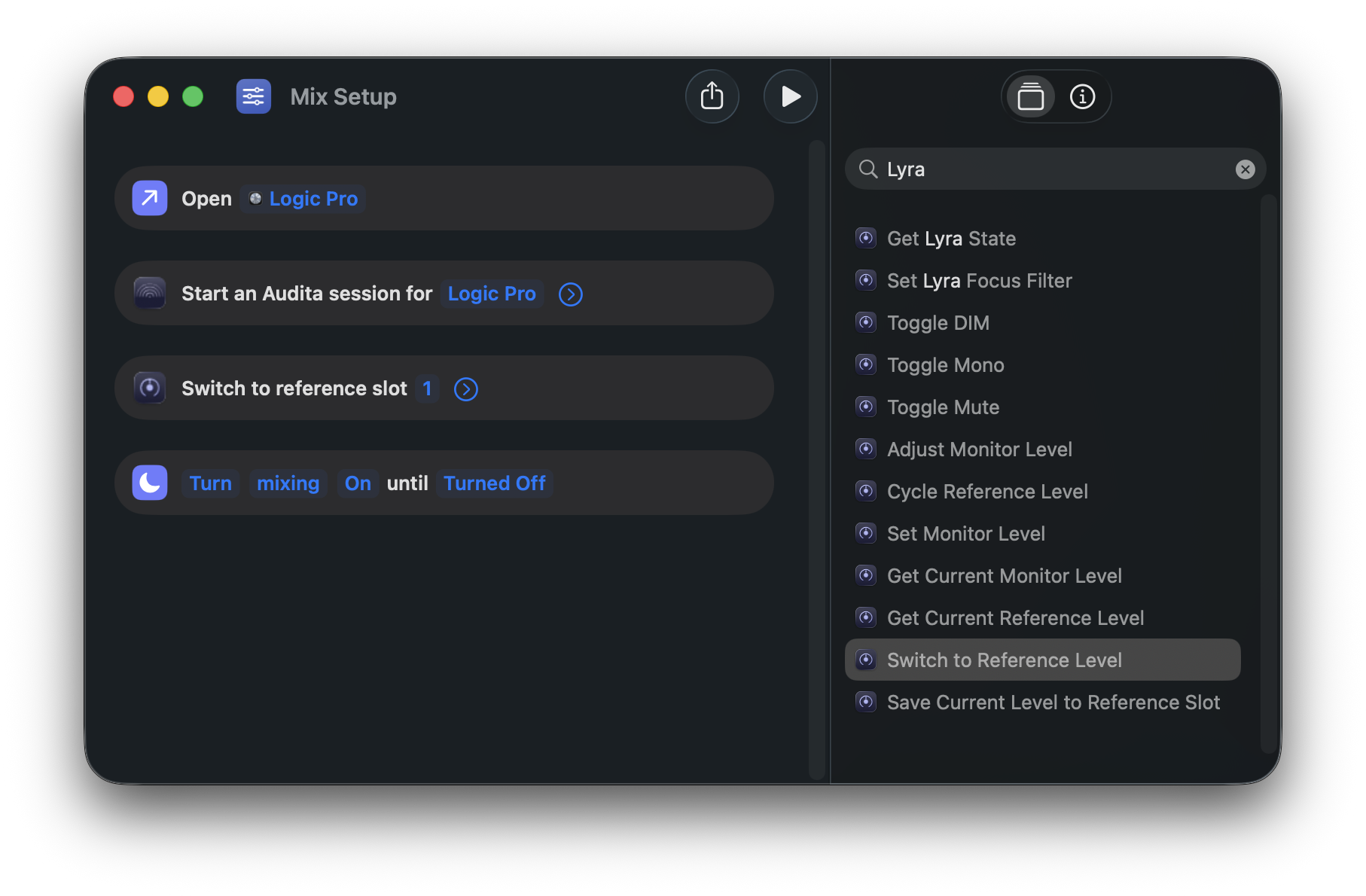
State (read)
| Intent | Returns |
|---|---|
| Get Lyra State | Tapered, dB, muted, dim, mono, mixer & device connected, device name, active slot + name, volume step, speakers, ALT available |
| Get Current Monitor Level | Tapered (0-1) and dB (or absent on first launch) |
| Get Current Reference Level | The active slot (1-3) + name + tapered + dBSPL, or a "no active slot" sentinel when between presets |
Monitor (write)
| Intent | Parameters |
|---|---|
| Set Monitor Level | Percent (0-100). Clamped. |
| Adjust Monitor Level | Direction (up/down), Fine (half-step) |
| Toggle Mute | (none) |
| Toggle DIM | (none) |
| Toggle Mono | (none) |
| Switch Speakers | Speakers (Main, ALT 1, ALT 2) |
| Cycle Speakers | (none) |
Reference Levels (write)
| Intent | Parameters |
|---|---|
| Switch to Reference Level | Slot (1-3) or Name (case-insensitive: "Mix", "K-14"…), optional Speakers (empty = Main; switches speakers when needed) |
| Cycle Reference Level | (none) |
| Save Current Level to Reference Slot | Slot (1-3), optional Speakers (empty = the pair playing now) |
Notes & gotchas
Set Monitor Levelaccepts percent, not dB. UA Mixer Engine's tapered curve isn't a linear function of dB; a dB-set would mislead anyone calibrating against an SPL meter. A dB-scale set lands alongside a plannedlyra://volume/set?db=…URL endpoint in a future release.Save Current Level to Reference Slotclears the slot's prior dB SPL calibration. The stored SPL was measured against the old tapered value and no longer applies. If you've calibrated a slot via Audita and don't want to lose that, don't aim this intent at it. Re-calibrate via Audita afterwards to restore the dB SPL display.- Cold launch. If you fire an intent while Lyra isn't running, macOS launches Lyra in the background and runs the intent on the freshly-constructed app. There's a sub-second window during launch where intents return "Lyra hasn't finished launching yet"; Shortcuts surfaces this as a soft failure. Build a one-second delay before the intent if you're chaining off a wake event.
Spotlight
App Shortcuts#
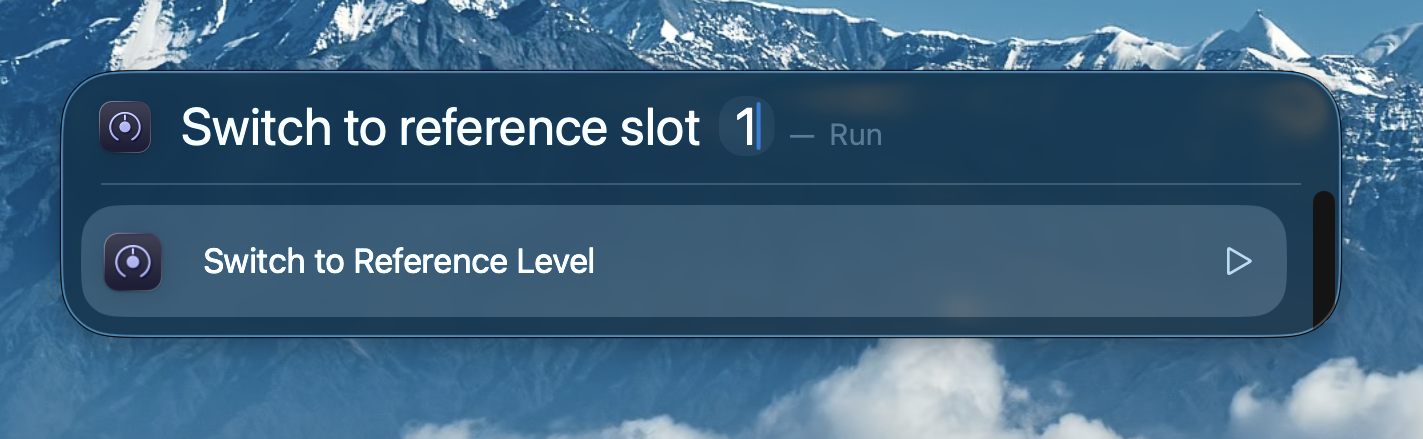
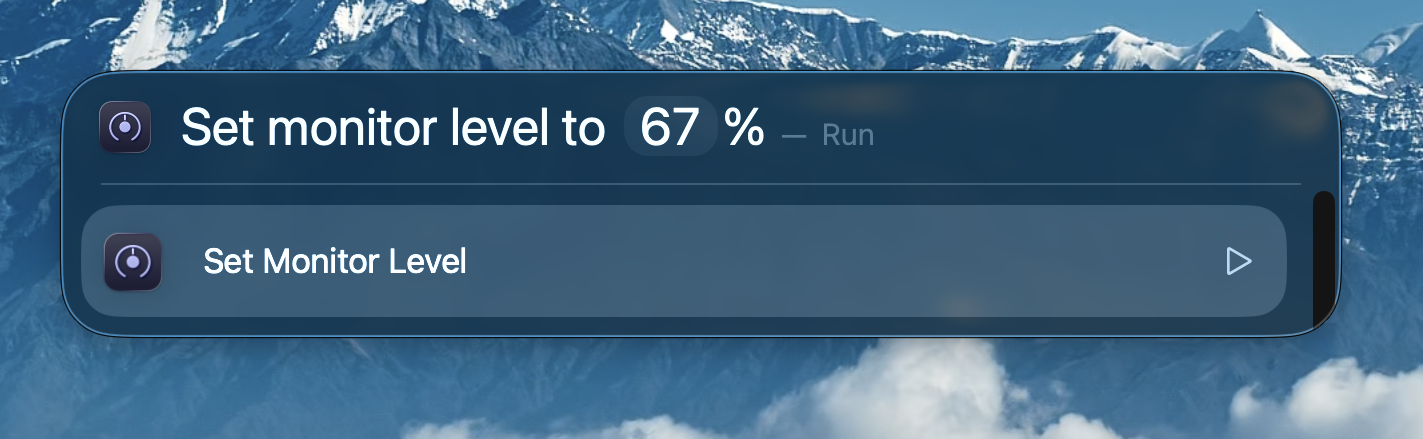
The most-used intents are pre-wired as App Shortcuts; they show up in Spotlight without you building anything first. Open Spotlight (⌘Space) and type phrases like:
- "Toggle mute in Lyra"
- "Switch reference level in Lyra"
- "Set monitor level in Lyra"
- "What's the monitor level in Lyra?"
- "Get Lyra state"
Spotlight surfaces the action directly; press Enter to run it. The full list is in Shortcuts → App Shortcuts → Lyra.
Siri
Voice via named Shortcuts#
Saying App Shortcut phrases directly to Siri does not work on macOS as of macOS 26. Apple's natural-language matcher for App Shortcuts (Flexible Matching) is iOS / Catalyst-only; native macOS apps like Lyra fall through with "Sorry, I don't understand." This isn't a Lyra-specific issue; it affects every native macOS App Intents app on the current platform.
The reliable Siri path on macOS: create a named Shortcut in Shortcuts.app and ask Siri to run it by name.
- Open Shortcuts.app → New Shortcut
- Drop in the Lyra action you want (e.g. Toggle Mute), or a chain of several
- Name the shortcut something Siri can hear cleanly: "Mute the monitor", "Mix level", "Studio quiet"
- Save
Then say to Siri: "Mute the monitor" (or whatever you named it). Siri matches the shortcut name and dispatches the chain. The same pattern works for multi-step routines, e.g. a "Listening session" shortcut that switches reference level and dims and silences notifications from one Siri phrase.
Focus Filter
Switch reference level on Focus#
System Settings → Focus → pick a mode → Add Filter → Lyra → Switch to Reference Level → pick a slot. From that point on, enabling the Focus jumps Lyra's monitor to that slot.
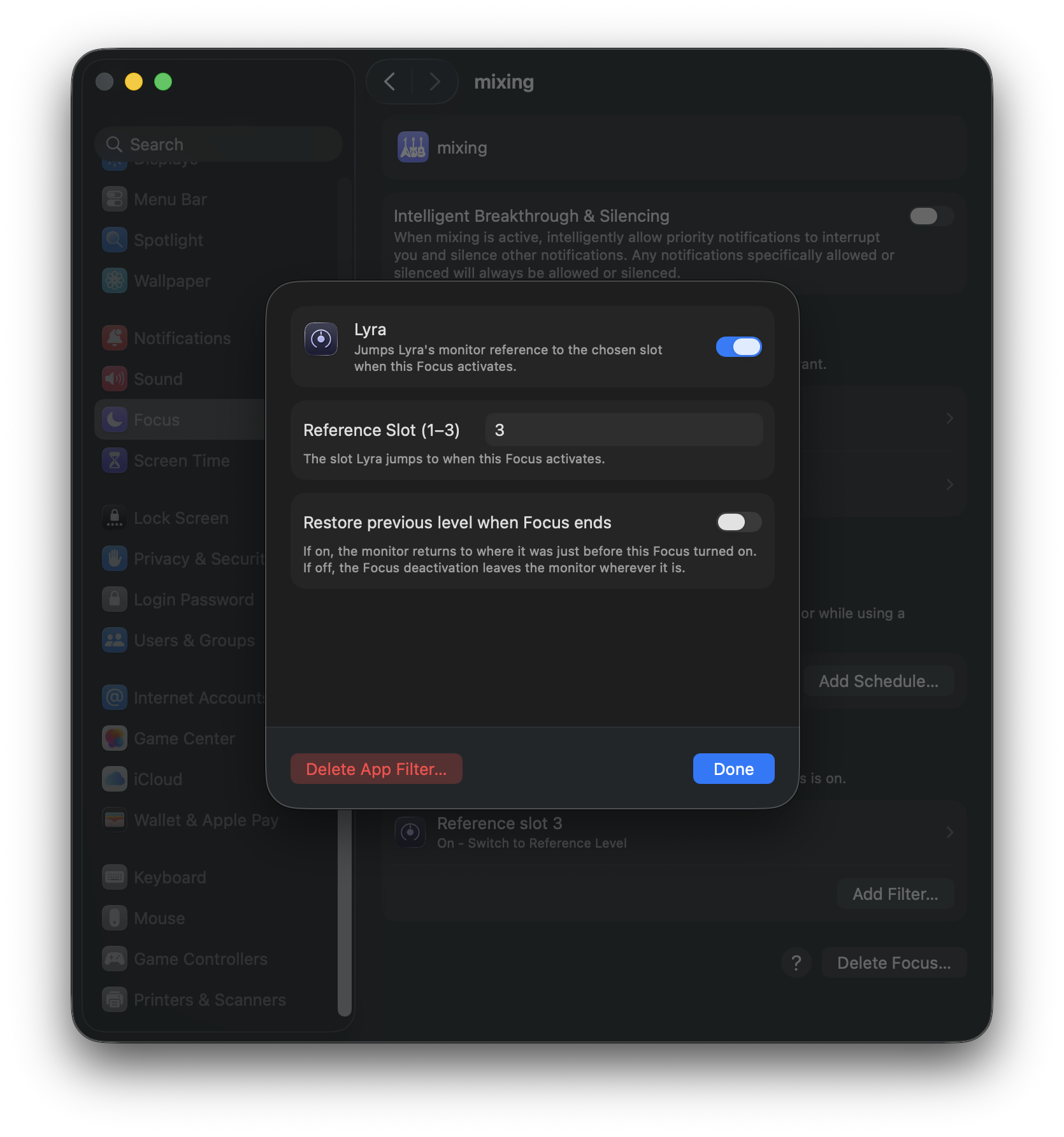
The common setup: a "Mixing" Focus configured to jump Lyra to slot 2 ("Mix") and silence non-DAW notifications, and a "Mastering" Focus that switches to slot 3.
On deactivation: do nothing, or restore the prior level. The Focus Filter has a "Restore previous level when Focus ends" toggle (off by default). When off, deactivating the Focus leaves the monitor wherever the filter put it. When on, Lyra remembers the live tapered position from the moment of activation and rolls back to it when the Focus turns off. Use the toggle when you want a Focus session to be a temporary monitor change ("Mixing → slot 2 for the session → back to whatever I had before"); leave it off when you want the Focus to permanently set a level you'll keep until you change it manually.
The restore target is held in memory only. If you quit Lyra mid-Focus, the deactivation finds no cached level and the monitor stays put.
Lyra must be running. Apple's Focus Filter framework explicitly does not launch the host app on Focus events. If Lyra is closed when you enable a Focus, the filter silently does nothing. For reliable Focus-driven monitor switching, enable Launch at Login in Lyra's menu so Lyra is always present in the menu bar.
If the Mixer Engine isn't reachable when a Focus activates (Apollo unplugged, daemon off), the Focus still enables and Lyra logs the skipped jump; the filter never blocks the system Focus state.
Chaining
x-callback-url#
Two optional query parameters on every endpoint:
| Param | Fires when |
|---|---|
x-success |
The endpoint completed successfully. Lyra appends its return values as query items, plus result=ok for action endpoints, then opens the result URL. |
x-error |
The endpoint failed (mixer disconnected, invalid slot, malformed argument, etc.). Lyra appends error_code and error_message, then opens the result URL. |
Example: action chain
Set the monitor to tapered=0.4, then trigger a Raycast script. Lyra appends what it knows about the new state to your success URL:
# What you fire:
lyra://volume/set?tapered=0.4&x-success=raycast://run?id=announce

# What Raycast receives (after the set completes):
raycast://run?id=announce&db=-12.34&result=ok&tapered=0.4000
Example: read chain
Read the full state dictionary into a Shortcut. The Shortcut receives every key as a URL query item - use Get value from URL for each one you care about.
lyra://state?x-success=shortcuts://run-shortcut?name=PostMix
URL-encoding the callback
Your x-success / x-error URLs are themselves embedded as query values inside the lyra:// URL. If your callback contains its own =, &, or spaces, percent-encode the whole callback URL before pasting it in - otherwise the outer URL parser will split your callback at the first & and you'll lose everything past it.
# Wrong - the outer parser sees three top-level params on the lyra:// URL:
lyra://state?x-success=shortcuts://run-shortcut?name=Post&arg=foo

# Right - the callback URL is encoded as a single query value:
lyra://state?x-success=shortcuts%3A%2F%2Frun-shortcut%3Fname%3DPost%26arg%3Dfoo
Shortcuts, Raycast, and Keyboard Maestro all expose this as "URL-encode" or "Percent encode" - apply it once when building the outer URL.
Endpoints
Volume#
Set the Apollo monitor level to an absolute tapered value. Same scale as UA Mixer Engine's CRMonitorLevelTapered property - 0.0 is fully attenuated, 1.0 is full output.
Step the monitor level up by one increment (default 1/16 of full range). Append ?fine=1 for a half-size step - equivalent to holding Shift with F12.
Step down by one increment, mirror of volume/up. Same fine=1 flag for half steps.
Read endpoint, v1.5+. Returns the current monitor level via the supplied x-success URL. No effect on its own - if you call it without x-success, Lyra logs the request and does nothing else.
Endpoints
Toggles#
Toggle the Apollo monitor mute. Same effect as pressing F10.
Toggle the Apollo's hardware DIM (same as Shift+F10). The attenuation amount is set in UA Console, not by Lyra - typically -20 dB.
Toggle L+R sum to mono for a quick compatibility check (same as Option+F10).
Endpoints
Reference Levels#
Jump to the named monitor preset stored in slot 1, 2, or 3. Writes the slot's stored tapered value straight to CRMonitorLevelTapered in one shot. Without speakers, the slot belongs to the speaker pair playing now and the speakers never switch. With speakers, the slot is that pair's, and the jump switches to those speakers.
Advance to the next slot in order (1 → 2 → 3 → 1). Useful for a single Stream Deck button that rotates between presets. With ALT speakers on, it cycles the slots of the pair playing now.
Write a slot. Lyra reads the live Apollo monitor level for the tapered value, so the slot always reflects exactly what the user just measured - unless you pass an explicit tapered override. This is the URL Audita fires from its "Send to Lyra…" action after target-level calibration. Without speakers, the write goes to the slots of the speaker pair playing now, the pair Audita measured. A save never switches speakers.
Read endpoint, v1.5+. Returns the slot whose stored tapered value matches the current monitor level (within ~0.5%), plus the live volume so you always know where the monitor is. When no slot matches - i.e. the monitor is somewhere between presets - the response sets slot=none so you can branch on it directly without checking for absent keys.
Endpoints
ALT speakers#
New in 1.9. On Apollos with ALT monitor outputs, these switch the monitor bus between Main, ALT 1 and ALT 2. ALT outputs are set up in UA Console under Settings → Hardware → ALT Count; until then both endpoints fail with unsupported. The monitor level, mute, DIM and mono follow whichever pair is playing.
Step to the next speaker pair: Main, ALT 1, ALT 2, then back to Main. Pairs that are off in UA Console are skipped. Same as ⌃⌥§ (⌃⌥` on US keyboards).
Switch to one speaker pair. Same as ⌃⌥1 / ⌃⌥2 / ⌃⌥3.
Which wins: when UA Mixer Engine is not reachable, the reply is mixer_disconnected, not unsupported, because Lyra can't tell whether ALT is on.
Endpoints
State#
Read endpoint, v1.5+. Returns the full app state in one shot - everything volume/get and reference/current return, plus the toggles, device info, and the current step size. Use this when you want one round-trip to populate a Shortcut, Stream Deck overlay, or status dashboard.
Errors
Error codes#
When an endpoint fails and an x-error URL was supplied, Lyra opens it with error_code and error_message appended. Codes are stable strings - branch on these, not on the human-readable message (which may change between releases).
| Code | Meaning |
|---|---|
mixer_disconnected |
UA Mixer Engine isn't reachable. Either it isn't running, or it's running but Lyra's TCP client hasn't connected yet. Try Start UA Mixer Engine from Lyra's menu. |
device_not_found |
No compatible Apollo interface is present on the system - CoreAudio reports no UA device. Plug in / power on the Apollo. |
invalid_slot |
The slot number in the path was not 1, 2, or 3. |
invalid_argument |
A query parameter was malformed - missing required key, out-of-range value, non-numeric where a float was expected. |
mixer_send_failed |
The TCP write to UA Mixer Engine failed mid-flight (connection dropped between the connectedness check and the send). Usually transient - retry. |
action_failed |
Catch-all for an action endpoint that completed without throwing but didn't observably change state (e.g. UA accepted the value but rejected it silently). Rare. |
trial_expired |
The trial has ended and no license is active, so Lyra won't change the monitor. Activate a license (or start a test session) and try again. |
unsupported |
The interface lacks the feature. In 1.9: ALT speakers, when the interface has no ALT outputs or the requested pair is off in UA Console. The message says where to turn it on. New in 1.9. |
unknown_endpoint |
The URL path didn't match any known endpoint. Note: this only fires when an x-error URL was supplied; without one, Lyra logs and ignores unknown URLs silently (the old pre-v1.5 behaviour). |
Examples
Integration examples#
Apple Shortcuts - read state and post to Slack
Lyra is queried for its full state, the Shortcut pulls out the keys it cares about, formats a one-liner, and posts it to a Slack incoming webhook.
Shortcut: "Post current mix to Slack"

1. Open URLs → lyra://state?x-success=shortcuts%3A%2F%2Frun-shortcut%3Fname%3DPostMix-Continue

   # lyra:// will fire `shortcuts://run-shortcut?name=PostMix-Continue&db=...&tapered=...&...`

--- Second shortcut, "PostMix-Continue":

1. Get value for "db" in Shortcut Input
2. Get value for "slot_name" in Shortcut Input
3. Get value for "muted" in Shortcut Input
4. Text: "Mixing at [db] dB (slot: [slot_name], muted: [muted])"
5. Get Contents of URL → POST https://hooks.slack.com/… with the text
Why two shortcuts? Shortcuts can't directly receive callback parameters into the same shortcut that fired the URL. The pattern is fire-from-A, receive-in-B. Pass name=B in the callback and run B from the chain.
Stream Deck - three K-System buttons
Three Stream Deck buttons, each calling a different Reference Level slot. Use the built-in System » Open action - no plugin needed.
Button 1 (K-14): System » Open → lyra://reference/1
Button 2 (K-20): System » Open → lyra://reference/2
Button 3 (K-Free): System » Open → lyra://reference/3
For more positions than three, use lyra://volume/set?tapered=N on each button - the Stream Deck holds the preset list, Lyra just executes.
Keyboard Maestro - fade to a target level over 2 seconds
Lyra doesn't have a built-in fade endpoint - every action is instantaneous. Synthesize a fade by stepping volume/set in a Keyboard Maestro loop.
Macro: "Fade to 0.4 over 2 s"

Set Variable startTapered to 0.7        # read it first if you want dynamic
Set Variable targetTapered to 0.4
Set Variable steps to 40                  # 20 Hz update rate

For each i in 1..steps:
    Calculate t = startTapered + (targetTapered - startTapered) * (i / steps)
    Open URL  lyra://volume/set?tapered=%t%
    Pause     0.05 s
Read the starting position dynamically with lyra://volume/get?x-success=… if you want the fade to start from wherever the knob currently is. Keep the step rate at ~20 Hz - faster and you'll hammer the Mixer Engine TCP socket.
Notes
Notes & gotchas#
Apollo must be reachable
All action endpoints (and volume/get, reference/current) require UA Mixer Engine to be running and Lyra's TCP client to be connected. If the daemon isn't up, the action is silently dropped - or, if you passed x-error, you'll get mixer_disconnected. The lyra://state endpoint is the exception: it succeeds even when disconnected, and reports mixer_connected=false in its response so you can branch on it.
Reference URLs without speakers follow the pair playing now
On an interface with ALT speakers on, lyra://reference/{n} and .../save without a speakers parameter act on the slots of the pair playing now and never switch speakers, so a Stream Deck button set up before 1.9 recalls the slot of whichever pair is playing. The keyboard and the Shortcuts actions read differently: ⌃F10 to ⌃F12 and Switch to Reference Level with an empty Speakers field always mean the Main slots. To pin a URL to one pair, add speakers=main, 1 or 2. Without ALT, every form behaves as in 1.8.
Reads are no-ops without x-success
lyra://volume/get, lyra://reference/current, and lyra://state have nowhere to send data unless you give them a callback URL. Calling them without one is harmless - they're logged and ignored - but they won't do anything either.
The db key is the Apollo's meter, not SPL
The db field returned by reads reflects UA's CRMonitorLevel property, which is the dB value of the monitor knob position on the Apollo - typically -96 dB to 0 dB on Apollo Twin X. It is not a sound pressure level. To estimate SPL for a calibrated slot, do SPL ≈ db + slot_dbspl (only meaningful when you've calibrated that slot via Audita's target-level routine).
No fade, no smoothing, no queueing
Every endpoint is fire-and-forget. There's no built-in ramp on volume/set, no command queue, no replay if the mixer disconnects mid-flight. If you need smoothed behaviour, build it in your launcher (see the Keyboard Maestro example above).
x-callback-url is opt-in
If you don't supply x-success / x-error, the endpoint behaves exactly as it did pre-v1.5: silent on success, silent on failure. Existing Stream Deck and Shortcuts setups continue to work unchanged - the callback layer is additive.
The slot_dbspl field is metadata, not a measurement
When a slot was written via Audita's "Send to Lyra…", slot_dbspl carries the dB SPL Audita measured at that monitor position. Lyra does not re-measure or verify it - it's a label. If you change your room, speakers, or distance, re-run Audita's calibration to refresh the value.
The full user-facing reference for Lyra - shortcuts, menu UI, troubleshooting, licensing - is the User Guide. This page is the canonical reference for the URL scheme only.